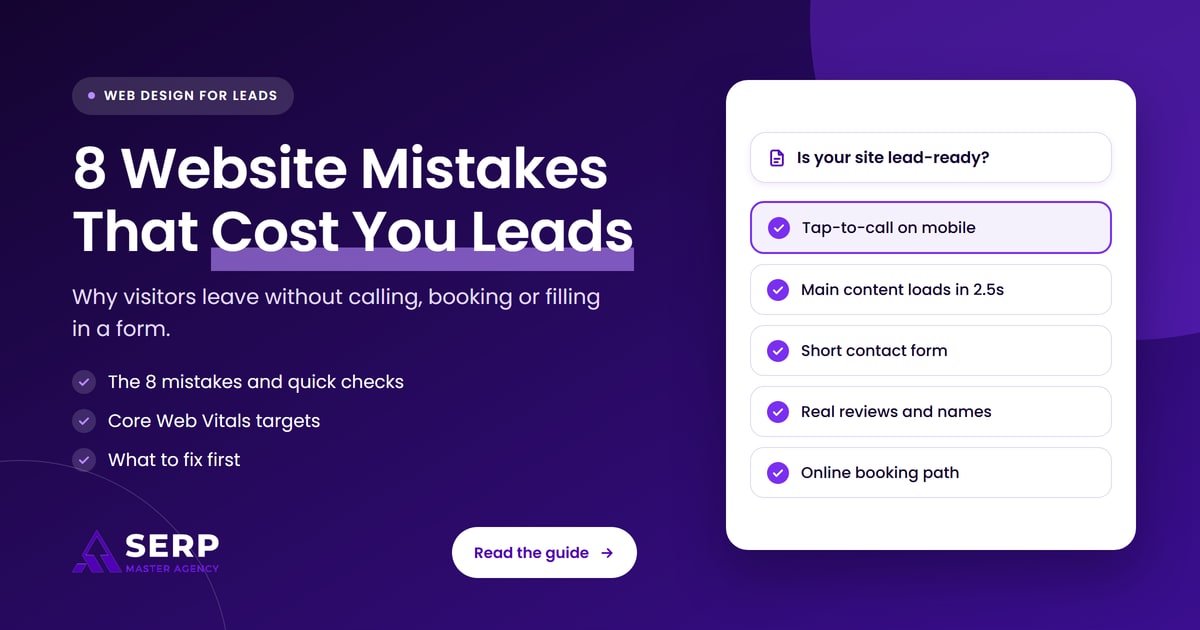
Quick answer: A website gets visits but no enquiries when visitors can’t quickly confirm you do the job they need, trust you, and contact you on their phone. The usual causes are a hidden phone number, slow or laggy pages, long forms, missing trust signals, thin service pages, no prices or process, and no simple way to book.
Key takeaways
- Traffic without enquiries is usually a website problem, not a traffic problem. Fix the site before you pay for more visitors.
- Google says clicks from search pages with AI Overviews are higher quality, so the visitors who do arrive are often ready to act. A weak site wastes them.
- Google’s Core Web Vitals targets are an LCP of 2.5 seconds or less, an INP of 200 milliseconds or less and a CLS of 0.1 or less.
- Most of the eight mistakes can be spotted in five minutes with your own phone.
- Home service businesses in the US can now be booked straight from Google’s AI Mode through partners such as Jobber, so a working booking path matters more than it did a year ago.
Why does a website get visits but no enquiries?
A website gets visits but no enquiries when something between arrival and contact stops people. Visitors land, look for proof that you do their job in their area, check whether you seem trustworthy, then look for the fastest way to reach you. If any of those steps is slow, unclear or missing, they go back and pick a competitor.
In this guide, an enquiry (or lead) means any action that starts a conversation with a potential customer: a phone call, a form submission, a booking, a quote request or a message. Your enquiry rate is the share of visits that end in one of those actions. When that rate is close to zero while visits hold steady, the website itself is the bottleneck.
Why does this matter more now?
It matters more now because the visitors who reach a service business site are increasingly pre-qualified. AI answers in Google, ChatGPT and other tools now handle much of the early research, so people who click through often want to confirm a detail and get in touch. A site that makes that hard loses people who were close to buying.
Liz Reid, then Google’s head of Search, wrote in August 2025 that Google is “sending slightly more quality clicks to websites than a year ago”, defining quality clicks as visits where people don’t quickly return to the results. Google’s guidance on AI features in Search also says clicks from results pages with AI Overviews are higher quality, meaning people are more likely to spend more time on the site. Fewer quick, casual visits and more serious ones means each visit is worth more, and each mistake on your site costs more.
What are the 8 website mistakes that stop service businesses getting leads?
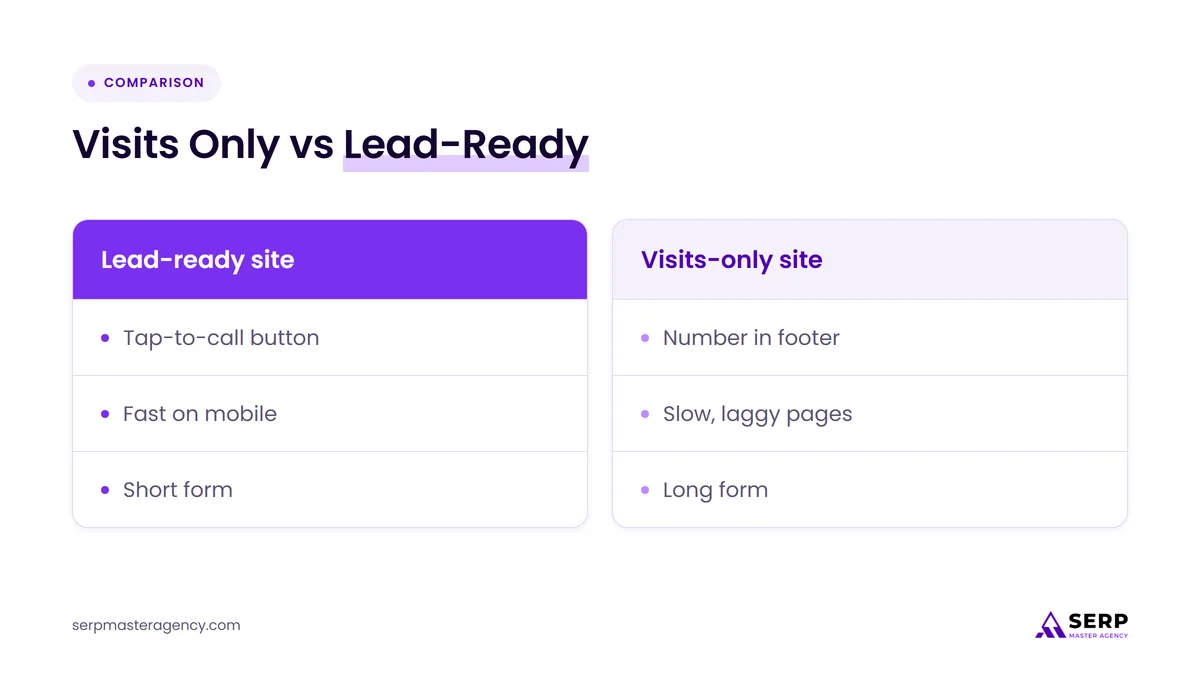
The eight mistakes that most often stop service businesses getting leads are a phone number that isn’t one tap away, slow or laggy pages, long contact forms, a homepage that doesn’t say what you do and where, missing trust signals, thin service pages, no prices or process, and no simple way to book online.
1. Your phone number isn’t one tap away on mobile
Many service customers would rather call than type. If your number sits in a footer, is shown as an image, or isn’t set up as a tap-to-call link, mobile visitors have to copy it by hand or give up. Put a tap-to-call button in the header of every page, so it’s visible without scrolling.
Make the button big enough to hit with a thumb. Google’s Lighthouse guidance says tap targets of 48 by 48 pixels never fail its check, with about 8 pixels of space between targets as a starting point. Also remember that Google uses the mobile version of your site for indexing and ranking, so the mobile layout is the version that matters most for search as well as for calls.
2. Your pages are slow, jumpy or laggy
Slow pages lose people before they read a word. Google’s Core Web Vitals measure three parts of this experience: how fast the main content loads (Largest Contentful Paint, or LCP), how quickly the page responds when someone taps (Interaction to Next Paint, or INP) and how much the layout jumps around (Cumulative Layout Shift, or CLS).
According to web.dev, good targets are an LCP within 2.5 seconds, an INP of 200 milliseconds or less and a CLS of 0.1 or less, measured at the 75th percentile of page loads. INP became a stable Core Web Vital in 2024, and it’s the one service sites often miss: a menu that freezes, a form field that lags or a booking widget that takes a second to react all count. Google says it highly recommends good Core Web Vitals for success with Search, though they are one part of page experience, not a shortcut to top rankings.
3. Your contact form asks for too much
Every extra field is another reason to stop. A form that asks for a full address, budget, how they heard about you and a long description before the first conversation feels like work. For a first enquiry, name, phone or email, and a short note about the job are usually enough.
Research on online checkouts points the same way. Baymard Institute found in 2024 that the average checkout had 11.3 form fields, while most sites need only 8, and 17% of users had abandoned a checkout because it was too complex. Enquiry forms are simpler than checkouts, but the lesson carries over. Nielsen Norman Group’s form guidance adds practical rules: keep forms short, use a single column, keep optional fields to a minimum and make error messages visible and specific.
4. Your homepage doesn’t say what you do, where and for whom
Visitors decide fast whether they’re in the right place. A headline like “Quality you can trust” says nothing. A headline like “Emergency plumbing and drain repair in North Dallas, same-day visits” tells people the service, the area and what makes you useful, before they scroll.
Check that your main heading names your core service and your area, that the first screen shows a clear next step such as “Call now” or “Get a quote”, and that your service area is listed somewhere easy to find. Visitors arriving from an AI answer have often been told you serve their area. If your page doesn’t confirm it quickly, they doubt the answer and leave.
5. You’re missing trust signals
People are inviting you into their home or trusting you with their business, so they look for reasons to believe you’re real and reliable. Stock photos, no names, no reviews and no physical details make a site feel anonymous.
Useful trust signals for a service business include:
- Real photos of your team, vans, premises and finished work
- The names and roles of the people who will do the job
- Recent reviews, ideally pulled from your Google Business Profile or another third-party platform
- Licenses, insurance, trade memberships and warranties that you actually hold
- A full business name, address or service area, and phone number that match your listings
Google’s guidance on helpful content asks whether it is “self-evident to your visitors” who created the content, and it treats fake names or false credentials as deception. The same principle applies to your whole site: show who is behind the business and only claim what you can prove.
6. Your service pages are thin or lumped together
One “Services” page with a list of bullet points can’t win searches for specific jobs, and it can’t reassure someone who needs one specific job done. A person searching for “boiler replacement” wants a page about boiler replacement, not a page that also covers faucet repairs and bathroom remodels.
Give each main service its own page that explains what the job involves, who it suits, how long it takes, what affects the cost and what happens after someone gets in touch. Clear, specific pages are also easier for AI tools to understand and quote. Our guide on how to get your business recommended by ChatGPT explains why direct, specific pages tend to be the ones AI answers cite.
7. You don’t answer price, process or timing questions
The questions people ask before they call are predictable: roughly what will it cost, how soon can you come, what happens first and do you cover my area. If your site avoids all of them, many people will move on to a competitor who answers them, or ask an AI tool instead.
Google’s own help page for AI Mode lists “researching service costs” as one of the tasks it helps people with. You don’t need to publish a fixed price list if your jobs vary. Typical ranges, the factors that change the price, call-out policies and a simple “what happens next” section all help a visitor feel ready to get in touch.
8. There’s no simple way to book or request a quote online
Some customers want to book without a phone call, often in the evening when your office is closed. If the only options are calling during office hours or a generic form with no confirmation, you lose them. An online booking or quote request that confirms what happens next fills that gap.
This now reaches beyond your own website. On November 4, 2026, Google added booking and quote links for home services to AI Mode in the US, working through partners. Search Engine Journal reported that Jobber customers with an active paid plan, a connected Google Business Profile and a booking form can appear with a “Book Online” button, Housecall Pro said its integration was coming soon, and Angi pros link through their Angi profiles. Our guide to booking and quote links in Google AI Mode explains what home service businesses should set up.
How do these mistakes compare, and how do you check each one?
Each mistake shows up differently to a visitor, and most can be checked in a minute or two without any tools beyond your phone and a free Google report. The table below lists what the visitor experiences, a quick way to check your own site and the usual fix.
| Mistake | What the visitor experiences | Quick check | Usual fix |
|---|---|---|---|
| 1. No tap-to-call | Has to hunt for or copy your number | Open your site on a phone and try to call in one tap | Sticky call button in the mobile header |
| 2. Slow or laggy pages | Waits, taps twice or sees the page jump | Run PageSpeed Insights on your homepage and top service page | Compress images, cut heavy scripts and plugins, fix layout shifts |
| 3. Long contact form | Feels like paperwork before a simple question | Count the required fields | Name, phone or email, and a short message |
| 4. Unclear homepage | Can’t tell if you do their job in their area | Read only the first screen: does it name service and area? | Specific headline, service area and one clear button |
| 5. No trust signals | Feels unsure who you are | Look for real photos, names, reviews and credentials | Add real proof you can back up |
| 6. Thin service pages | Can’t find their exact job explained | Does each main service have its own page? | One detailed page per main service |
| 7. No price or process answers | Doesn’t know what to expect | Search your site for cost, timing and next steps | Typical ranges, cost factors, “what happens next” |
| 8. No online booking | Can’t act outside office hours | Try to book or request a quote at 9pm | Booking or quote form with instant confirmation |
How can you test your own website in five minutes?
You can test your own website in about five minutes by acting like a new customer on your phone. Search for your main service and area, open your site from the results, and try to confirm what you do, judge whether you seem trustworthy and get in touch. Every point where you hesitate is a point where real visitors leave.
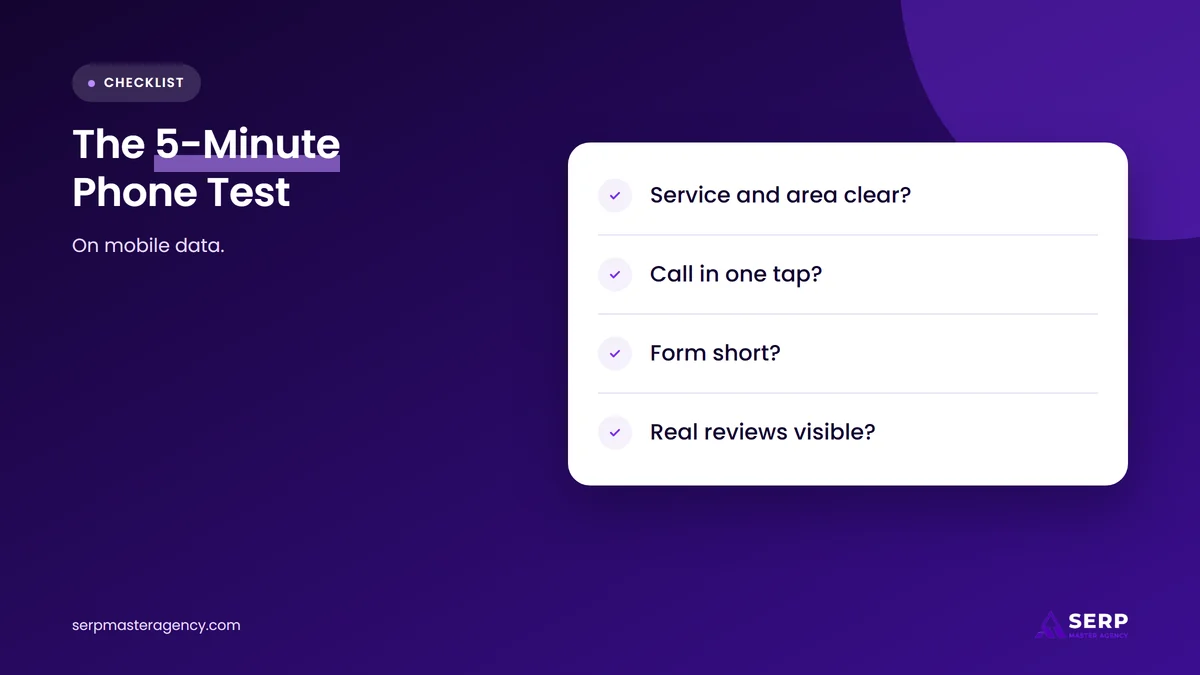
- Use mobile data, not office Wi-Fi. This is closer to how customers browse.
- Read only the first screen. Can you tell the service, the area and the next step without scrolling?
- Try to call. Count the taps it takes to start a call.
- Open your top service page. Does it explain the job, rough cost factors and what happens next?
- Fill in your own form. Count the fields, check the confirmation message and check that the email arrives.
- Look for proof. Can you see real photos, names and recent reviews without digging?
Then check the numbers. In Google Search Console, the Core Web Vitals report shows whether real visitors’ pages pass on mobile, and PageSpeed Insights shows which part of a page is slow. If your forms and call buttons aren’t tracked in your analytics, set that up first, so you can see whether each fix works.
Which mistakes should you fix first?
Fix the mistakes that block contact first, then the ones that slow people down, then the ones that build confidence. For most service businesses that means the call button and form, then speed, then trust signals and service pages. The first group is often cheap and quick, and you can measure the effect within weeks.
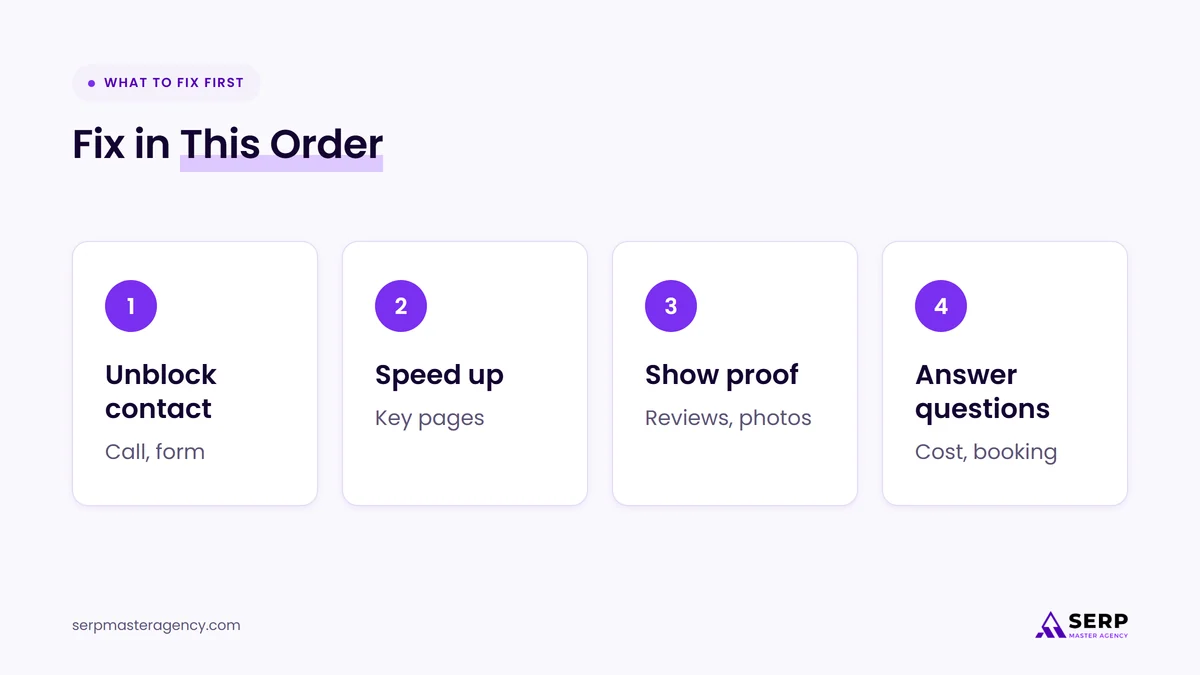
- Unblock contact. Add a tap-to-call button, shorten the form and make sure every form submission reaches a real inbox.
- Speed up key pages. Start with the homepage and the service pages that get the most visits.
- Show proof. Replace stock photos, add reviews and list credentials you hold.
- Answer the last questions. Build out service pages with cost factors, timing and next steps, and add online booking if your customers want it.
Do you need a full redesign to fix these mistakes?
You don’t always need a full redesign. Tap-to-call buttons, shorter forms, better headlines and real photos can usually be added to an existing site. A rebuild makes more sense when the site is slow at its core, hard to edit or built on a platform that can’t support booking or tracking.
If you do rebuild, protect the search visibility you already have. Changing page addresses without proper redirects can cost rankings, and our article on how redirects pass rankings during a website redesign covers what to plan before launch. Our web design services are built around this lead path: fast mobile pages, clear service pages and contact options that are easy to use and easy to track.
Frequently asked questions
Why do people visit my website but not contact me?
People usually visit without contacting you because they can’t quickly confirm you do their job in their area, don’t see enough proof to trust you, or find contact too slow on their phone. Check your first screen, your call button, your form and your reviews before you spend more on traffic.
What is a good enquiry rate for a service business website?
There is no single reliable benchmark, because enquiry rates vary by industry, price point and where the traffic comes from. The most useful comparison is your own site over time. Track calls, forms and bookings as separate actions, then measure whether each fix raises the share of visits that turn into enquiries.
Do Core Web Vitals affect leads or just rankings?
Core Web Vitals affect both. Google says good Core Web Vitals align with what its ranking systems reward, and they also describe the experience visitors have: how fast pages load, how quickly they respond to taps and how stable they look. A slow or laggy page loses visitors whether or not it ranks.
Should a service business website show prices?
Showing typical price ranges and the factors that change the cost usually helps, because cost is one of the first questions people ask. If your jobs vary too much for fixed prices, explain what drives the price, whether you charge for quotes or call-outs, and how quickly you can give a firm figure.
Do AI search tools send leads to service business websites?
Yes, AI tools can send visitors and leads, though how many varies by business. Google says clicks from AI Overview results are higher quality, and AI Mode in the US now links to booking and quote options for home services through partners. Clear service pages and a working booking path help you benefit.
Is your website turning visits into enquiries?
If your site gets visits but few calls, forms or bookings, start with the five-minute phone test, then fix contact, speed and trust in that order. These changes are often small, and they make every visit from Google, Maps and AI answers more likely to become a customer. If you’d like the work done for you, our web design services and SEO services at SERP Master Agency cover both the traffic and the enquiries it should produce.
Getting visits but not enough enquiries?
Tell us about your business, your website and how customers get in touch today. We’ll review the path from first visit to first call, point out what is likely costing you leads and tell you honestly which fixes are worth doing first.
Sources
- Google, “AI in Search is driving more queries and higher quality clicks” (Liz Reid), August 6, 2025. https://blog.google/products/search/ai-search-driving-more-queries-higher-quality-clicks/
- Google Search Central, “AI features and your website”, accessed November 9, 2026. https://developers.google.com/search/docs/appearance/ai-features
- web.dev, “Web Vitals”, updated October 31, 2024. https://web.dev/articles/vitals
- web.dev, “Interaction to Next Paint (INP)”, updated September 2, 2025. https://web.dev/articles/inp
- Google Search Central, “Understanding Core Web Vitals and Google search results”, accessed November 9, 2026. https://developers.google.com/search/docs/appearance/core-web-vitals
- Google Search Central, “Mobile-first indexing best practices”, accessed November 9, 2026. https://developers.google.com/search/docs/crawling-indexing/mobile/mobile-sites-mobile-first-indexing
- Chrome for Developers, “Tap targets are not sized appropriately” (Lighthouse), accessed November 9, 2026. https://developer.chrome.com/docs/lighthouse/seo/tap-targets
- Baymard Institute, “Checkout Optimization: Minimize Form Fields”, June 26, 2024. https://baymard.com/blog/checkout-flow-average-form-fields
- Nielsen Norman Group, “Website Forms Usability: Top 10 Recommendations” (Kathryn Whitenton), May 1, 2016. https://www.nngroup.com/articles/web-form-design/
- Google Search Central, “Creating helpful, reliable, people-first content”, accessed November 9, 2026. https://developers.google.com/search/docs/fundamentals/creating-helpful-content
- Google Search Help, “Use AI Mode to check local availability and pricing”, accessed November 9, 2026. https://support.google.com/websearch/answer/17104441
- Search Engine Journal, “Google AI Mode Adds Booking & Quote Links For Home Services”, November 4, 2026. https://www.searchenginejournal.com/google-ai-mode-home-services-booking-quote-links/595871/

Suraj Rana is a highly regarded SEO expert specializing in the dental industry. His expertise lies in crafting strategic SEO marketing plans to help new or expanding businesses increase their online visibility and attract more customers. Suraj Rana’s skills extend to improving website rankings and boosting organic search visibility, thereby enhancing web traffic and return on investment for businesses.