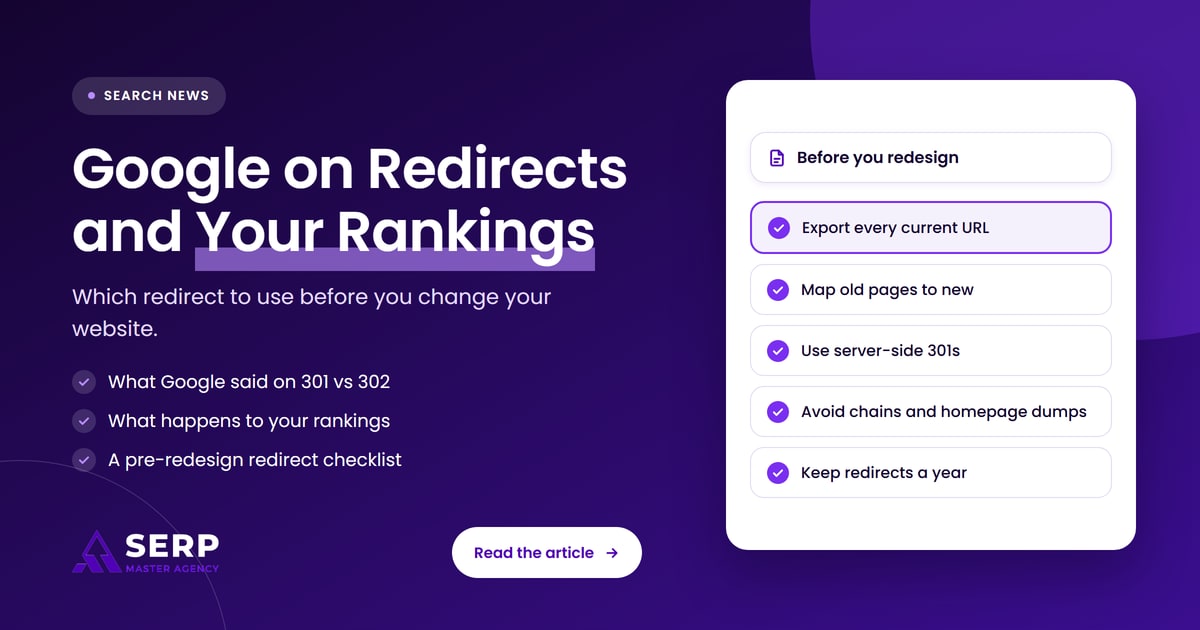
Quick answer: If a page is moving for good during a redesign or domain change, use a server-side 301 (or 308) redirect from each old URL to its closest new page. Google says the 301 passes the old page’s ranking signals to the new URL and makes it the one shown in search. Use a 302 or 307 only for short, temporary moves.
Key takeaways
- Google’s Gary Illyes and Cherry Prommawin explained in early November 2026 that a page gets indexed whichever redirect you use. The redirect mainly decides which URL Google shows.
- A 301 tells Google the move is permanent, hands the old page’s ranking signals to the new page and makes the new URL the canonical one.
- With a 302, Google assumes you will move back, so it keeps showing the old URL.
- 307 and 308 are the modern temporary and permanent versions of 302 and 301. They keep form submissions intact, which matters for checkouts and booking forms.
- Google recommends server-side redirects over JavaScript or meta refresh redirects, and suggests keeping redirects for at least a year after a site move.
- Most ranking losses after a redesign come from missing, chained or lazy redirects, not from picking the wrong code. A redirect map built before launch prevents them.
What did Google say about redirects and rankings?
In coverage published by Search Engine Journal on November 5, 2026, Google’s Gary Illyes and Cherry Prommawin explained that Google indexes a page no matter which redirect type a site uses. The redirect choice mostly affects which URL appears in search, and only a permanent redirect moves ranking signals and canonical status to the new address.
Here is what the two Googlers covered, as reported by Search Engine Journal:
- Indexing is not the problem. Google’s crawlers follow any redirect. The real question is which URL Google picks to show.
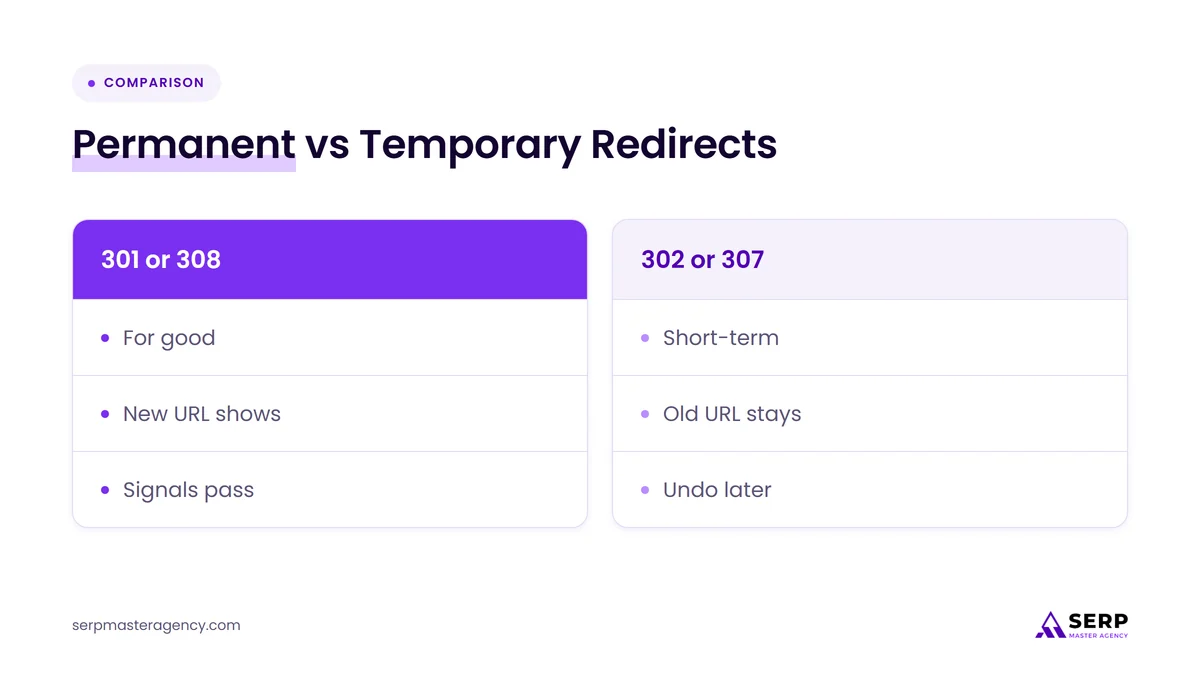
- 301 means permanent. Google takes the ranking signals of the old page and gives them to the new one, and the new URL becomes the canonical version.
- 302 means temporary. Google assumes you are going back eventually, so the old URL stays in search results.
- 307 and 308 are modern equivalents. A 308 is the newer form of a permanent 301 and a 307 is the newer form of a temporary 302. The difference is that they preserve POST data, such as an order or form being submitted when the redirect happens.
- Server-side beats client-side. A redirect sent by your server is faster and cleaner than one triggered by JavaScript or a meta refresh tag.
Prommawin also offered some reassurance for owners who worry about picking the wrong code: getting it wrong “is not the end of the world.” A wrong choice usually means the wrong URL shows for a while, not that your pages vanish. The bigger risks, as we cover below, sit elsewhere in a redesign.
We could not find a published Google transcript of the discussion, so the points above come from Search Engine Journal’s report. They match Google’s own redirects documentation on Search Central, which sets out the same split between permanent and temporary redirects.
What is a redirect, and what do the codes mean?
A redirect is an instruction that sends visitors and search engines from one URL to another. Your server signals the type of redirect with a three-digit HTTP status code. The code tells Google whether the move is permanent, so the new URL should replace the old one, or temporary, so the old URL should stay in search.
Google’s documentation groups redirects into two families, with server-side redirects being the most reliable way to send either signal.
| Redirect | Type | What Google shows | Typical business use |
|---|---|---|---|
| 301 Moved Permanently | Permanent, server-side | The new URL, which takes over the old page’s signals | Redesigns, renamed pages, domain changes, HTTP to HTTPS |
| 308 Permanent Redirect | Permanent, server-side | The new URL, treated like a 301 | Permanent moves where forms or checkouts post data |
| 302 Found | Temporary, server-side | Usually the old URL | Short promotions, a page under repair, seasonal swaps |
| 307 Temporary Redirect | Temporary, server-side | Usually the old URL | Short outages or failovers where form data must survive |
| Meta refresh (instant) | Treated as permanent, client-side | The new URL, if Google processes it | Only when you cannot set server-side redirects |
| JavaScript redirect | Treated as permanent, client-side | The new URL, but only if rendering works | Last resort; Google may never see it if rendering fails |
What does “canonical” mean in plain English?
The canonical URL is the single version of a page that Google chooses to show when several URLs have the same or very similar content. Google groups those URLs into a cluster and picks one to represent it. A 301 is a strong hint that the new URL should be that representative, while a 302 is not.
Which redirect should you use when you move or redesign your website?
For almost every website redesign, platform switch or domain change, use a server-side 301 redirect from each old URL to its closest new page. Use a 308 instead if your developer prefers it or the URL receives form submissions. Keep 302 and 307 redirects for genuinely short-term moves you plan to undo.
Match the redirect to the situation:
- New design, same domain, some URLs changed: 301 each changed URL to its new equivalent. Unchanged URLs need no redirect.
- New domain or rebrand: 301 every old URL to the matching page on the new domain, then use the Change of Address tool in Google Search Console.
- Moving to HTTPS or between www and non-www: 301 sitewide. Google says the Change of Address tool is not needed for these.
- Merging two pages into one: 301 the weaker page to the stronger one, and make sure the surviving page covers what the old one did.
- A page down for a few days, or a short sale page: 302 or 307, then remove the redirect when you are done.
- New hosting, same URLs: no redirects needed. Google treats this as a move without URL changes.
What happens to your Google rankings after you redirect?
If the redirects are correct, the new URLs should gradually replace the old ones in search results, carrying their ranking signals with them. Google warns that any significant site change can cause ranking fluctuations while it recrawls and reindexes, and that a medium-sized site can take a few weeks or more to settle.
Google’s site-move guidance sets realistic expectations:
- Expect some movement. Rankings can wobble while Google crawls the old URLs, follows the redirects and updates its index. Larger sites take longer.
- Old URLs can linger. Google may keep showing an old URL for some searches as an alternate name for the new page. Its documentation says this fades over time and needs no action.
- Traffic should shift, not disappear. In Search Console, traffic to old URLs should fall while traffic to new URLs rises. A drop in total clicks that does not recover is the warning sign.
Rankings rarely fall because a business chose a 301 when it could have used a 308. They fall because old pages were left with no redirect at all, every old page was pointed at the homepage, or the new page no longer answers what the old one did. We explain how structure decisions affect this in our guide to how SEO can improve website structure.
Who is affected by this guidance?
Any business planning a website redesign, platform switch, domain change or page cleanup in the next year is affected. That includes owners moving from one website builder to another, rebranding to a new domain, merging service pages, or adding location pages. Sites that already moved with temporary or JavaScript redirects should check them now.
You should review your redirects soon if any of these apply:
- Your developer or website builder set up redirects you have never checked.
- You moved platforms and some old pages now return “page not found” errors.
- Old URLs still show in Google months after a permanent move, which can point to 302s used by mistake.
- Your redirects run through a plugin or script rather than your server.
- You have run more than one redesign, so old URLs may pass through several hops.
Businesses moving into new countries face extra steps such as language versions and hreflang tags. Our guide to international site migrations covers that case.
What should you do before you change your website?
Before any redesign or move, list every URL that earns traffic or links, decide where each one will go, and build a one-to-one redirect map. Then set server-side permanent redirects, update internal links and sitemaps, test before launch, and monitor Search Console for several weeks afterward. Keep the redirects in place for at least a year.
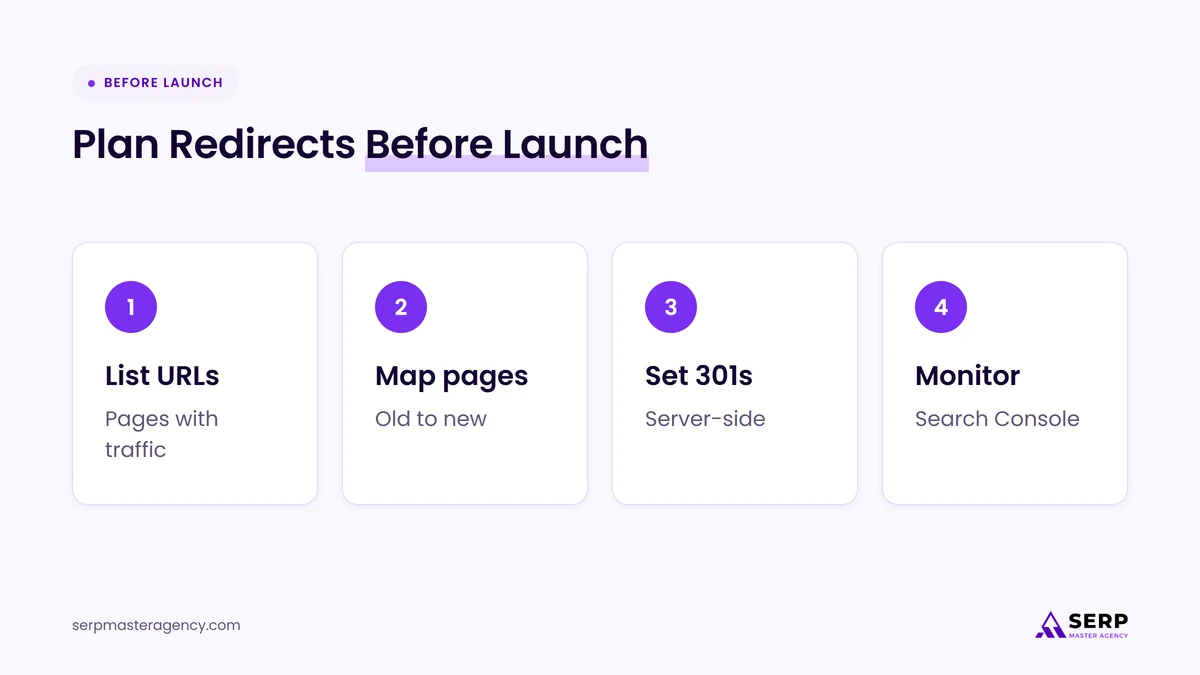
Use this pre-redesign redirect checklist with your developer or agency:
- Export every current URL. Pull URLs from your sitemap, the Performance report in Google Search Console, your analytics and any list of pages with backlinks. Start with the pages that bring in the most visits and leads.
- Decide each page’s future. Mark each URL as keep, move, merge or remove. Pages that bring in enquiries deserve the most care.
- Build a redirect map. In a spreadsheet, pair every old URL with its closest new URL. A plumbing service page should point to the new plumbing service page, not the homepage.
- Use server-side 301 or 308 redirects. Set them at the server, hosting or platform level rather than with JavaScript or meta refresh tags.
- Point straight to the final page. Google advises avoiding redirect chains. If an old URL already redirects, update it to go directly to the new destination.
- Don’t send everything to the homepage. Google advises against redirecting many unrelated old URLs to one page. If a page has no real replacement, let it return a “not found” status instead.
- Update what you control. Change internal links, navigation, canonical tags and your XML sitemap to the new URLs, and update your Google Business Profile website link and major directory listings if the domain changes.
- Test before and after launch. Keep the staging site out of Google with noindex, then crawl the live site after launch to confirm every mapped URL returns a single redirect to a working page.
- Tell Google about domain moves. Submit the new sitemap in Search Console and, for a new domain, use the Change of Address tool.
- Monitor and keep the redirects. Watch Search Console for errors and traffic shifts over the following weeks, and keep the redirects for at least a year, longer if old links still send visitors.
If you are hiring help for a redesign, ask who owns this checklist. An SEO check before and after a migration is a natural fixed-scope job, as we explain in our comparison of fixed-price SEO tasks and monthly retainers.
What redirect mistakes cost businesses rankings?
The most expensive redirect mistakes are forgetting to redirect old URLs, sending every old page to the homepage, using temporary redirects for permanent moves, chaining several redirects together and removing redirects too soon. Each one either breaks the link between old and new pages or tells Google to keep showing the old address.
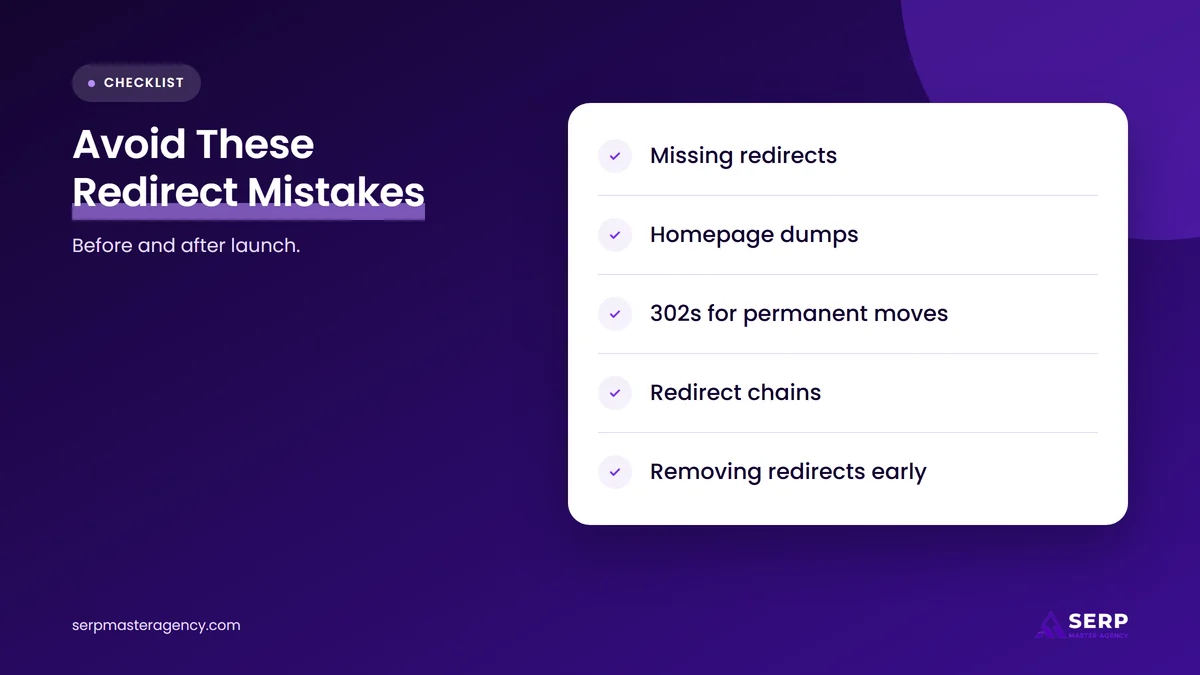
| Mistake | What happens | Fix |
|---|---|---|
| No redirect on a changed URL | Visitors and Google hit a “not found” page, and links to the old page stop helping | Add a 301 to the closest new page |
| Everything sent to the homepage | Google may not treat the homepage as a replacement for specific pages | Map each page to its true equivalent |
| 302 used for a permanent move | Google keeps showing the old URL, assuming you will move back | Change it to a 301 or 308 |
| Redirect chains | Slower pages and more hops for Google to follow | Point each old URL straight to the final page |
| JavaScript-only redirects | Google may never see the redirect if rendering fails | Move the redirect to the server |
| Redirects removed after a few months | Old links and bookmarks break again | Keep redirects for at least a year |
A redesign is also a chance to fix how pages work for visitors. Our article on how SEO improves user experience through web design covers what to change while you are rebuilding.
Frequently asked questions
Do 301 redirects lose any ranking power?
According to Google’s Gary Illyes, as reported by Search Engine Journal in November 2026, a 301 hands the old page’s ranking signals to the new page. Rankings can still move while Google recrawls, and they can drop if the new page covers less than the old one did.
Is a 302 redirect bad for SEO?
A 302 is not bad when the move really is temporary, such as a short promotion or a page under repair. It becomes a problem when it is used for a permanent move, because Google assumes you are going back and keeps showing the old URL instead of the new one.
Should I use a 301 or a 308 redirect?
Both are permanent redirects, and Google treats them the same way for search. A 308 also keeps form data intact when the redirect happens, so it can suit URLs that receive form submissions or checkouts. For ordinary pages, a 301 is the common, well-supported choice.
How long should I keep redirects after a site move?
Google’s site-move guidance says to keep redirects for as long as possible, generally at least one year. Keeping them longer helps visitors who arrive from old links, bookmarks and other websites, so many businesses leave them in place indefinitely.
Can I redirect old pages to my homepage?
Redirect old pages to the homepage only if the homepage genuinely replaces them. Google advises against redirecting many unrelated URLs to one page. Point each old URL to its closest new equivalent, and let pages with no replacement return a “not found” status.
Do I need to tell Google when I change my domain?
Yes. After setting up 301 redirects, submit your new sitemap in Google Search Console and use the Change of Address tool for the old domain. Google says that tool is not needed for HTTPS changes, www changes or moving pages within the same domain.
Should you worry about redirects before your next redesign?
Choosing between a 301 and a 308 matters less than having a redirect for every page that earns traffic. Google has made the rules clear: use permanent, server-side redirects for permanent moves, point each old page to its true replacement and keep the redirects for at least a year. Plan the redirect map before the new site goes live. If you want a second pair of eyes on a move, our SEO services at SERP Master Agency include migration planning and post-launch checks.
Planning a redesign or domain change?
Tell us what is changing on your website and when. We’ll review your current pages, build the redirect map with your developer and check Search Console after launch so your rankings have the best chance of carrying over.
Sources
- Search Engine Journal, “Google Explains How Redirects Affect Ranking Signals”, November 5, 2026. https://www.searchenginejournal.com/google-explains-how-redirects-affect-ranking-signals/595967/
- Google Search Central, “Redirects and Google Search”, accessed November 8, 2026. https://developers.google.com/search/docs/crawling-indexing/301-redirects
- Google Search Central, “Site moves with URL changes”, accessed November 8, 2026. https://developers.google.com/search/docs/crawling-indexing/site-move-with-url-changes
- Google Search Central, “Moving a site with no URL changes”, accessed November 8, 2026. https://developers.google.com/search/docs/crawling-indexing/site-move-no-url-changes

Suraj Rana is a highly regarded SEO expert specializing in the dental industry. His expertise lies in crafting strategic SEO marketing plans to help new or expanding businesses increase their online visibility and attract more customers. Suraj Rana’s skills extend to improving website rankings and boosting organic search visibility, thereby enhancing web traffic and return on investment for businesses.