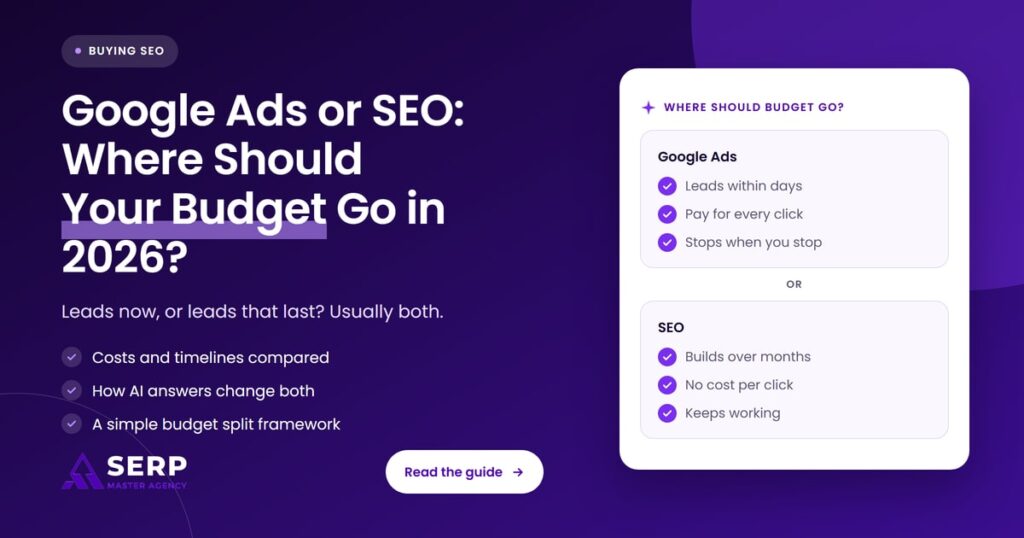
Quick answer: Spend on Google Ads when you need leads this month and each lead is worth clearly more than it costs. Spend on SEO when you can wait several months and want visibility that keeps working after you stop paying. Most small businesses do best with both: ads to fill demand now, SEO to lower costs later.
Key takeaways
- Google Ads buys immediate visibility, but every click costs money: LocaliQ’s 2026 search advertising benchmarks put the average cost per click at $5.42 and the average cost per lead at $66.69.
- SEO is slower to start but has no cost per click, and it is still how pages qualify to appear as links in Google’s AI Overviews and AI Mode.
- AI answers are taking clicks from organic results: Ahrefs found a 58% lower click-through rate for the top-ranking page when an AI Overview appears.
- Ads now show inside AI Overviews and AI Mode too, including in Australia, Canada and New Zealand, so paid search is changing as well.
- Decide the split with four numbers you already have: what a customer is worth, how fast you need leads, your monthly budget and how competitive your searches are.
What is the difference between Google Ads and SEO?
Google Ads is paid advertising: you bid to show ads on Google for chosen searches and pay when someone clicks. SEO, or search engine optimization, is the work of improving your website and online presence so Google shows it in unpaid results, map results and AI answers. Ads rent visibility. SEO builds it.
What does Google Ads mean for a small business?
For a small business, Google Ads usually means search campaigns that show a text ad when someone searches for your service in your area. You set a daily budget, pick searches to target and pay per click. Ads can be live within a day, and they stop the moment the budget runs out.
One budgeting detail surprises many owners. Google’s help page on average daily budgets explains that a campaign can spend up to two times its average daily budget on a busy day, while the monthly charge stays capped at 30.4 times the daily budget. Plan your ad spend as a monthly figure, not a daily one.
What does SEO mean for a small business?
For a small business, SEO means making sure your website, service pages and Google Business Profile match what customers search for, load properly and earn trust through reviews, links and mentions. You pay for the work, not for each visit, and the results build over months rather than days.
How do Google Ads and SEO compare in 2026?
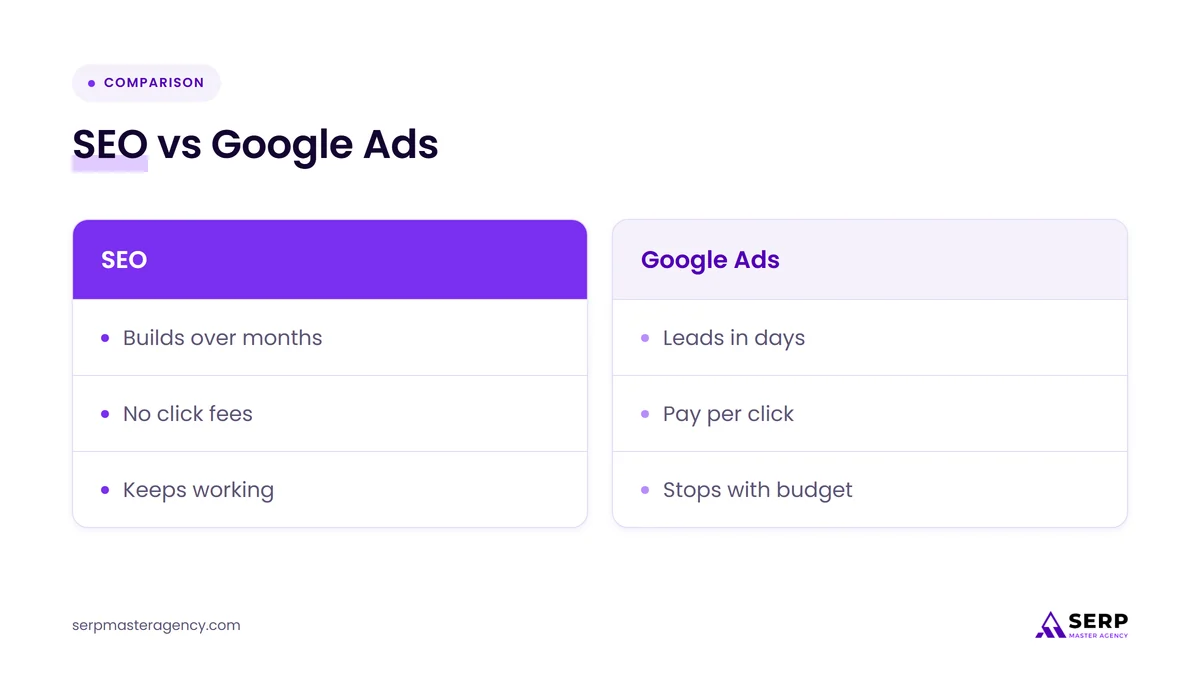
Google Ads wins on speed, control and testing: you can switch it on, choose exact searches and see results within weeks. SEO wins on cost over time, trust and staying power: there is no fee per click, and good pages keep bringing visits after the work is done. Neither one is cheaper in every situation.
| Factor | Google Ads | SEO |
|---|---|---|
| Speed to first leads | Days, once tracking and landing pages are ready | Usually months, faster for fixes to existing pages |
| Cost pattern | You pay for every click, for as long as ads run | You pay for the work; visits carry no click fee |
| What happens when you stop | Visibility stops the same day | Rankings fade slowly if nobody maintains them |
| Control | High: you choose searches, times, areas and wording | Lower: Google decides what ranks and what AI answers cite |
| Place in AI answers | Ads can show inside AI Overviews and AI Mode, labeled “Sponsored” | Pages can be cited as supporting links if indexed and eligible for a snippet |
| Best use | Urgent demand, new businesses, testing offers, seasonal peaks | Long-term lead flow, research-heavy buying, building trust |
| Main risk | Paying for clicks that never become customers | Waiting months for work that targets the wrong searches |
| How to judge it | Cost per lead and cost per customer | Growth in leads, calls and revenue from organic search |
What has changed for ads and SEO in 2026?
Three things shape the math in 2026. Clicks cost more than many owners expect, AI answers at the top of Google now take a large share of the clicks that used to go to organic results, and ads have moved inside those AI answers. Both channels still work, but neither works the way it did.
Are Google Ads clicks getting more expensive?
Yes, a little. LocaliQ’s 2026 search advertising benchmarks, built with WordStream from thousands of Google Ads and Microsoft Ads campaigns across more than 20 industries, put the average cost per click at $5.42, after a small rise over the last year. The better news is that average cost per lead fell.
A few details from that report matter when you set a budget:
- Average cost per lead: $66.69 across all industries, the first overall drop in five years.
- Industry spread: Attorneys and Legal Services had a cost per lead of $131.63, Real Estate $102.51 and Home and Home Improvement $90.92.
- Click prices vary too: the average cost per click was $9.87 for Attorneys and Legal Services and $8.33 for Home and Home Improvement.
- Conversion rates: the average conversion rate for Google Ads across industries was 8.18%.
Treat these as a reference point, not a forecast for your account. The data comes from LocaliQ customers’ campaigns, and your own costs depend on your location, your competitors and how well your landing pages convert.
Are AI answers reducing organic clicks?
Yes, for searches that show an AI Overview. Ahrefs compared 300,000 keywords using Search Console data and found that an AI Overview now correlates with a 58% lower average click-through rate for the top-ranking page. Pew Research found that people clicked a regular result on 8% of visits with an AI summary, against 15% without one.
This does not make SEO pointless. It changes what SEO is for. Google’s own guidance says there are no extra requirements to appear in AI Overviews or AI Mode: a page needs to be indexed and eligible to show with a snippet, which is the same groundwork as normal SEO. Being cited inside the answer, and being the business people search for by name afterward, now matters as much as ranking first. Our guide to SEO, AEO and GEO explains how those pieces fit together.
Do ads now appear inside AI Overviews and AI Mode?
Yes. Google’s Ads help center confirms that ads can appear within or alongside AI Overviews and AI Mode responses, labeled “Sponsored”. Existing Search, Shopping and Performance Max campaigns are eligible automatically, and you cannot opt out of AI placements separately from Search or target them on their own.
On October 28, 2026, Google said it was scaling ads in AI Mode to 10 more countries, including Australia, Canada and New Zealand, with the United Kingdom planned for later in the fourth quarter, and launching ads in follow-up questions in the US. Google also reported that AI Mode queries are, on average, three times longer than traditional searches. For a small advertiser, that means broader matching and less visibility into where ads appear, because AI placement results are reported together with regular Search. We covered what this means for advertisers in Google Ads in AI Mode.
When should a small business choose Google Ads first?
Choose Google Ads first when you need leads quickly, when customers search with urgent intent, or when you are new and have no organic visibility yet. Ads also suit testing: you can learn which services and messages bring paying customers in weeks, then use that knowledge to shape your SEO.
Ads tend to be the right first move in these situations:
- You need revenue this quarter. SEO cannot fill a calendar in the next 30 days. Ads can, if the numbers work.
- Your customers search in a hurry. Emergency repairs, same-day services and last-minute bookings often go to whoever appears first, and ads appear first.
- You have just launched. A new website has no rankings. Ads give you leads while SEO catches up.
- You want to test an offer. A short campaign shows which services, areas and messages convert before you invest in pages for them.
- Demand is seasonal. Ads can scale up for a peak season and stop when it ends.
Ads only pay off when tracking, landing pages and follow-up are in place. If earlier campaigns burned budget without results, our article on why businesses struggle with PPC results covers the usual causes, and our PPC advertising services page explains how we set up and manage campaigns.
When should a small business choose SEO first?
Choose SEO first when you can wait a few months for results, when customers research before they buy, or when clicks in your industry are expensive. SEO also comes first when your website has basic problems, because ads that send paid visitors to a weak page waste money on every click.
SEO is usually the better first investment when:
- Your cost per click is high and each lead costs more than your margins can carry.
- Customers compare options for days or weeks before contacting anyone, so they read, ask AI tools and check reviews.
- Your Google Business Profile, service pages or reviews are thin, and those same weaknesses would hurt ad conversion rates too.
- You want a source of leads that does not stop when the monthly budget runs out.
Be realistic about timing. Ahrefs found that only 1.74% of newly published pages reached Google’s top 10 within a year, which is why SEO is a commitment measured in months. Fixing existing pages and your Google Business Profile often shows results sooner than publishing new ones. If you are pricing that work, our guide on how much to budget for SEO services explains the main cost drivers.
How should you split your budget between ads and SEO?
Split your budget by working out what a lead is worth to you, what ads would cost to get one, and how long you can wait. Put most of the budget where the numbers work today, and keep a steady share going to the other channel so you are not dependent on a single source of leads.

- Work out what a lead is worth. Multiply your average profit per customer by the share of leads that become customers. That gives the most you can afford to pay for one lead and still make money.
- Compare it with real ad costs. Check the cost per lead for your industry in the LocaliQ benchmarks, or run a small test campaign for a few weeks and use your own number. If the cost per lead is well below what a lead is worth, ads deserve a larger share.
- Decide how fast you need leads. If you need customers in the next one to three months, weight the budget toward ads. If you can wait six months or more, weight it toward SEO.
- Check how crowded the results are. Search your main service and town. If AI answers, ads and big directories fill the screen, organic clicks will be harder to win, and SEO should focus on your Google Business Profile, reviews and being cited, not only on ranking.
- Keep a floor under both. Even when one channel is clearly ahead, keep some investment in the other. Ads protect you during slow SEO months. SEO protects you when click prices rise.
- Review the split every quarter. As organic leads grow, you can usually shift spend away from ads for searches you already rank for, and keep ads on the searches where you don’t.
What does a typical split look like?
There is no standard split that suits every business, and we do not publish one as a rule. The pattern that works for most small businesses is to start weighted toward ads while SEO foundations are built, then move budget toward SEO as organic leads grow and become more predictable.
In practice, the split tends to follow one of three patterns:
- Ads-led: a new business, urgent services or a short deadline. Most of the budget goes to ads, with a smaller, steady amount for Google Business Profile and core service pages.
- Balanced: an established business with some rankings. Ads cover high-value searches you don’t rank for yet, and SEO works to win them.
- SEO-led: high click costs, research-heavy buying or strong existing rankings. Most of the budget goes to SEO, with ads kept for brand searches, seasonal peaks or new offers.
What should you track to know if the split is working?
Track cost per lead and cost per customer for each channel, not clicks or rankings on their own. Ads report costs directly. For SEO, count calls, form fills and bookings from organic search and your Google Business Profile, then divide the monthly SEO cost by those leads to compare the two fairly.
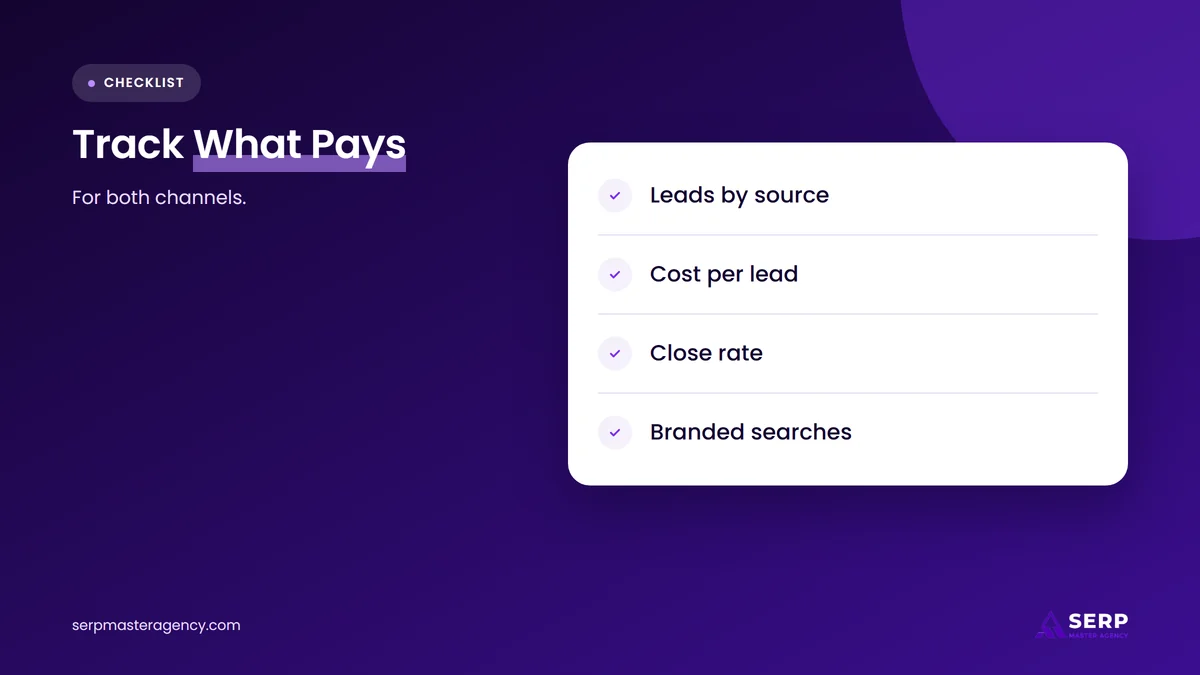
- Leads by source: tag calls and forms so you know which came from ads, organic search, maps and AI tools.
- Cost per lead by channel: ad spend divided by ad leads, and SEO cost divided by organic leads.
- Close rate by channel: some sources bring more inquiries but fewer buyers.
- Branded searches: growth in people searching your business name is a sign that AI answers and organic visibility are working, even when clicks are lower.
- Overlap: if you rank first organically for a search, test whether pausing ads on it changes total leads.
Frequently asked questions
Is SEO still worth it if AI Overviews take clicks?
Yes, but the goal shifts. Google uses indexed pages that are eligible for a snippet as supporting links in AI Overviews and AI Mode, so good SEO is still the way in. Fewer clicks per search means each visit matters more, and your Google Business Profile, reviews and brand searches carry more weight.
How much should a small business spend on Google Ads?
Start from your numbers, not a generic figure. Work out what a lead is worth to you, compare it with the cost per lead in your industry, and set a monthly budget large enough to get enough clicks to learn from. Remember that daily spend can reach twice your daily budget on busy days.
Can Google Ads help my SEO rankings?
No. Paying for Google Ads does not improve your organic rankings. Ads can still help SEO indirectly: the searches and messages that convert in a campaign show you which pages to build and which services to prioritize, and that knowledge makes your SEO work better targeted.
How long does SEO take compared with Google Ads?
Google Ads can bring clicks within days of launch. SEO usually takes months, and new pages often take longer than improvements to pages that already rank. Fixes to your Google Business Profile, reviews and existing service pages are often the quickest SEO wins for a local business.
Should I stop ads once my SEO is working?
Not all at once. Reduce ads on searches where you already rank strongly and test whether total leads hold steady. Keep ads on high-value searches you don’t rank for yet, on seasonal peaks and on new services, so a ranking drop or a Google update doesn’t leave you without leads.
So where should a small business spend in 2026?
If you need leads now and the cost per lead fits your margins, put most of your budget into Google Ads and track every lead. If you can wait and clicks in your industry are expensive, put most of it into SEO so you build visibility in search results and AI answers that you don’t pay for per click. For most small businesses the answer is both, with the balance moving toward SEO as organic leads grow. To see what ongoing search work covers, read about our SEO services at SERP Master Agency.
Not sure how to split your budget between ads and SEO?
SERP Master Agency runs both Google Ads and SEO for small businesses in the US, UK, Canada, Australia and New Zealand. Tell us what a customer is worth to you and what you spend now, and we’ll suggest a split based on your numbers.
Sources
- LocaliQ, “Search Advertising Benchmarks for Every Industry [2026 Data]”, May 26, 2026, updated June 1, 2026. https://localiq.com/blog/search-advertising-benchmarks/
- Ahrefs, “Update: AI Overviews Reduce Clicks by 58%”, February 4, 2026. https://ahrefs.com/blog/ai-overviews-reduce-clicks-update/
- Pew Research Center, “Google users are less likely to click on links when an AI summary appears in the results”, July 22, 2025. https://www.pewresearch.org/short-reads/2025/07/22/google-users-are-less-likely-to-click-on-links-when-an-ai-summary-appears-in-the-results/
- Google, “Ads in AI Mode expand to new markets”, October 28, 2026. https://blog.google/products/ads-commerce/ads-in-ai-mode-global/
- Google Ads Help, “About ads in AI-powered experiences in Google Search”, accessed November 14, 2026. https://support.google.com/google-ads/answer/18826097
- Google Ads Help, “About average daily budgets”, accessed November 14, 2026. https://support.google.com/google-ads/answer/6385083
- Google Search Central, “AI features and your website”, accessed November 14, 2026. https://developers.google.com/search/docs/appearance/ai-features
- Ahrefs, “How Long Does It Take to Rank in Google? And How Old Are Top Ranking Pages?”, May 15, 2025. https://ahrefs.com/blog/how-long-does-it-take-to-rank-in-google-and-how-old-are-top-ranking-pages/

Suraj Rana is a highly regarded SEO expert specializing in the dental industry. His expertise lies in crafting strategic SEO marketing plans to help new or expanding businesses increase their online visibility and attract more customers. Suraj Rana’s skills extend to improving website rankings and boosting organic search visibility, thereby enhancing web traffic and return on investment for businesses.