Quick answer: “Crawled, currently not indexed” means Google visited a page but chose not to add it to search results. A few of these pages are normal. On November 10, 2026, Google’s John Mueller said a large share usually means Google’s quality systems are unconvinced about your site, so the fix is better content, not a smaller site.
Key takeaways
- On November 10, 2026, John Mueller of Google said a large share of “Crawled/Discovered, currently not indexed” pages is usually a sign that Google’s quality systems are unconvinced about the site.
- He also said making a site smaller doesn’t significantly raise its overall quality, so mass noindexing or deleting pages is not a fix on its own.
- On November 3, 2026, Google updated its Search Console Help page to say the message is common and doesn’t necessarily indicate an issue, because Google doesn’t index all pages.
- Both statements fit together: a handful of unindexed pages is normal, while a large share of important pages points to a site-wide quality problem.
- Rule out technical blocks first, then improve the pages that matter most to your customers and leads.
What did Google say about “Crawled, currently not indexed” on November 10, 2026?
On November 10, 2026, Google Search Advocate John Mueller answered a question on Bluesky about sites with a large share of “Crawled/Discovered, currently not indexed” pages. He said this is usually a sign that Google’s quality systems are unconvinced about the site, and that shrinking the site doesn’t significantly raise its overall quality.
The question came from a Bluesky user who asked whether a site that consistently has a large percentage of these pages should noindex them, redirect them to indexed pages, wait, or do something else. Mueller’s reply, as reported the next day by Search Engine Roundtable, made three points:
- It is usually about quality. In his words, “Usually this is a sign that Google’s quality systems are unconvinced about your site.”
- Cutting pages is not the fix. He said “Just making the site smaller doesn’t significantly raise the overall quality of the site.”
- Trust and crawl budget are different. Asked whether trust signals matter more than crawl budget, he said “I think those are very distinct things.” If only a tiny number of a site’s pages are indexed, he said, that suggests either a severe technical issue, which you would definitely notice at that scale, or that Google isn’t convinced about the site overall.
Earlier in the same Bluesky thread, on November 9, 2026, Mueller told the owner of a fairly new site that had been publishing a lot that it can take time for Google’s systems to understand the unique value of the content, and recommended “quality over quantity.”
What does “Crawled, currently not indexed” mean?
“Crawled, currently not indexed” is a status in the Page indexing report in Google Search Console. It means Google found and fetched the page but decided not to add it to its index, so the page can’t appear in search results for now. Google may index it later, without any action from you.
It is easy to confuse with a few other statuses in the same report. Here is how the common ones differ, based on Google’s Search Console Help page:
| Status in Search Console | What Google did | What it usually means |
|---|---|---|
| Crawled, currently not indexed | Fetched the page but didn’t index it | Often normal for a few pages. A large share points to quality. |
| Discovered, currently not indexed | Found the URL but hasn’t crawled it yet | Google says it typically rescheduled the crawl to avoid overloading the site |
| Duplicate without user-selected canonical | Chose another page as the main version | Expected for duplicates. Check Google picked the right page. |
| URL marked “noindex” | Found a noindex directive and skipped the page | Fine if intended. Remove the directive if you want it indexed. |
Note one difference. Google’s help page explains “Discovered, currently not indexed” mainly as a crawl scheduling issue, while Mueller grouped both statuses together when a site has a large share of them. For a small business site, where server load is rarely the limit, a long-running pile of “Discovered” pages deserves the same quality review.
Did Google say these pages are not a problem?
Yes, for a few pages. On November 3, 2026, Google updated its Page indexing report help to say Google doesn’t index all pages across the web, so “Crawled, currently not indexed” is a common message that doesn’t necessarily indicate an issue. Mueller’s November 10 comments cover a different case: a large share of a site’s pages.
Search Engine Roundtable’s Barry Schwartz summed up the November 3 help change on X:
“doesn’t mean there is an issue and Google does not index all pages”
Barry Schwartz (@rustybrick) on X, November 3, 2026 (source)
The updated help text adds that if you see the message for important pages, you should use the URL Inspection tool and other tools to check for anything preventing them from appearing, such as blocking Google’s crawlers. Google’s help page also says you should not expect every URL on your site to be indexed. The goal is to get the main version of every important page indexed.
Read together, the two statements give a simple rule of thumb:
| What you see | What it likely means | What to do |
|---|---|---|
| A few low-value URLs (tags, filters, old pages) | Normal. Google doesn’t index everything. | Nothing, unless an important page is in the list |
| Some key service or product pages | Those pages may look thin or similar to others | Inspect them, then improve or combine them |
| A large share of the whole site | Google is unconvinced about the site overall | Site-wide quality review, after ruling out technical blocks |
| Almost nothing indexed | A severe technical issue or a serious quality problem | Check robots.txt, noindex tags and server errors first |
Who is affected by this?
Any business whose website relies on Google Search for leads can be affected. The sites most likely to see a large share of unindexed pages are those that publish many similar pages: location pages that only swap the town name, thin blog posts, product variations with copied descriptions, and large batches of AI-written content published quickly.
For a service business, the risk is practical. If your service or city pages sit in “Crawled, currently not indexed,” they can’t rank and can’t bring in calls or inquiries from search. If only old tag archives and filter URLs are there, you can usually ignore them.
This is separate from the November 2026 core update, which Google began rolling out on the same day as Mueller’s comments. If your traffic is moving right now, our guide to what to do during the November 2026 core update covers when to judge the data.
How do you check whether your site has an indexing quality problem?
Open the Page indexing report in Google Search Console, find the “Crawled, currently not indexed” and “Discovered, currently not indexed” rows, and look at which pages are listed. The question is not how many URLs appear, but whether your important pages appear, and what share of your useful pages that represents.
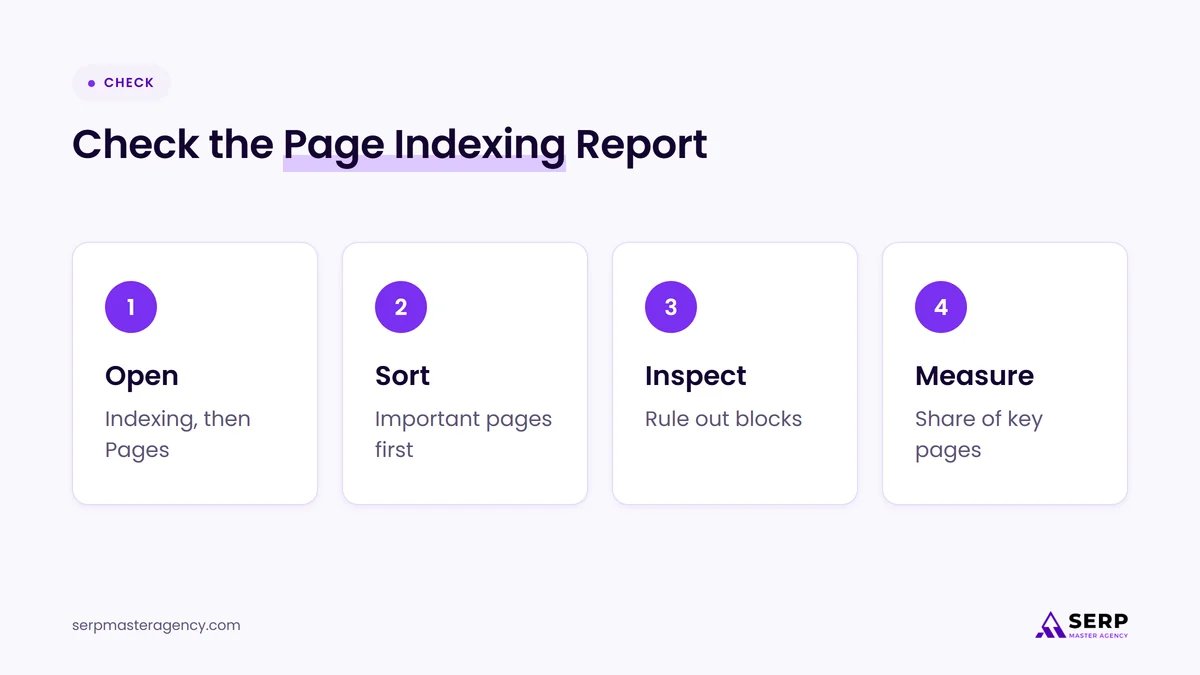
- Open the report. In Search Console, open Indexing, then Pages, and click the “Crawled, currently not indexed” row under the reasons pages aren’t indexed.
- Sort the list by importance. Export the URLs and mark which ones are pages you want customers to find: services, products, locations and your best guides.
- Inspect key URLs. Run the most important ones through the URL Inspection tool. Check that the page isn’t blocked by robots.txt, isn’t marked noindex, loads without errors and has the right canonical.
- Estimate the share. Compare the number of important pages that aren’t indexed with the number you have in total. A few out of hundreds is normal. Half your service pages is a signal.
- Read the pages as a customer would. Ask whether each page says something the indexed pages on your site, and the pages ranking above you, don’t.
If the technical checks all pass, Mueller’s comments suggest the answer is in the content itself. A full technical SEO checklist for a crawlable website helps you rule out the technical side properly first.
What should business owners do now?
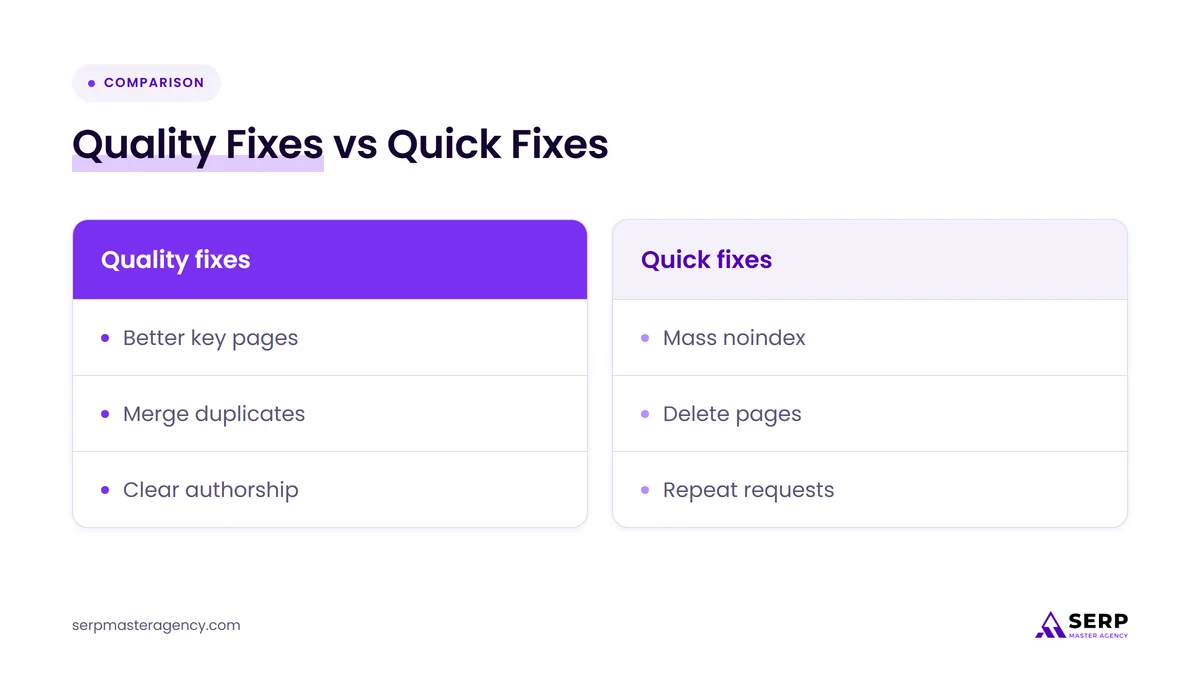
Rule out technical problems, then make your most important pages clearly more useful than the alternatives. Improve or merge thin and near-duplicate pages, slow down publishing volume, and give each key page specific, first-hand information a customer can’t get elsewhere. Then give Google time to reassess the site.
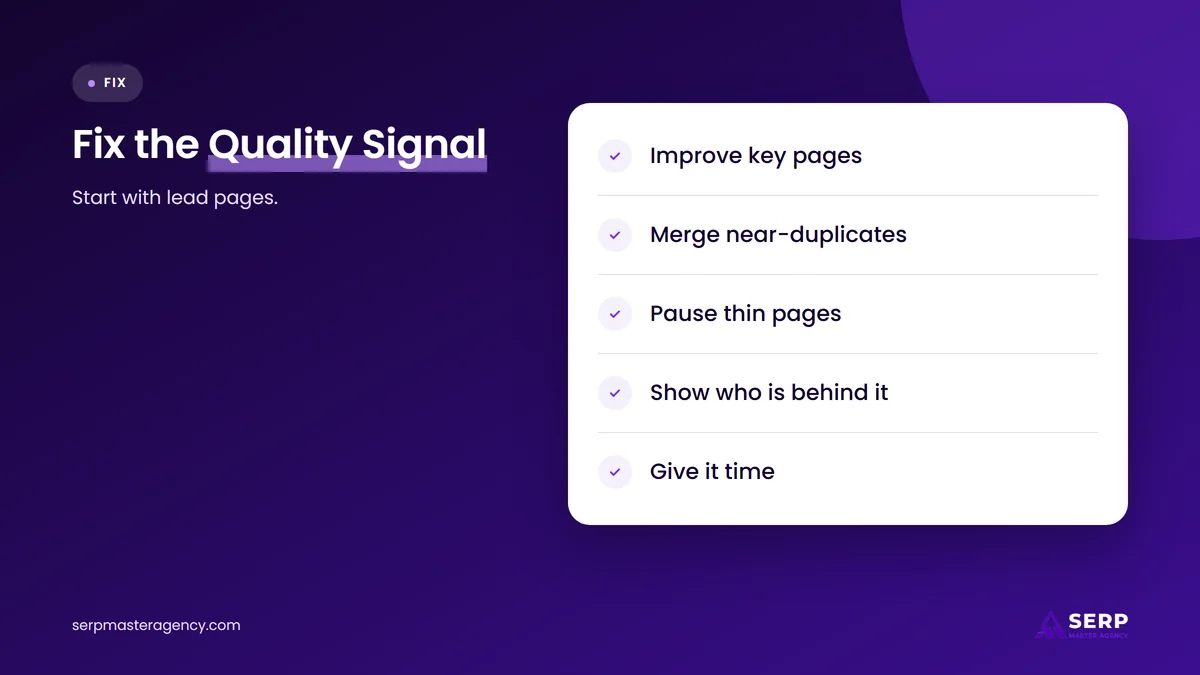
- Fix the important pages first. Start with pages tied to revenue: your main services, products and locations. Add real detail, such as how the work is done, what affects the price, the areas you cover, photos of your own work and answers to the questions customers actually ask.
- Merge near-duplicates. If you have ten city pages that say the same thing, combine them into fewer, stronger pages, or rewrite each one with genuinely local information. Redirect any merged URLs to the page that replaces them.
- Stop adding thin pages. Pause bulk publishing until existing pages are indexed. Google’s systems need to be convinced by what is already there.
- Show who is behind the site. Make it clear who runs the business, who wrote or reviewed the content and how to reach you. These details help both customers and Google judge the site.
- Link to key pages from strong pages. Make sure important pages are linked from your homepage, menus and your best-performing content, not only from a sitemap.
- Be patient. Google’s systems need time to reassess a site. Check the report again over the following weeks rather than daily.
If your site grew quickly with AI-written content, our article on whether to mass-produce AI content explains why volume alone is a weak plan.
Why won’t deleting or noindexing pages fix it?
Deleting or noindexing unindexed pages only makes the site smaller, and Mueller said a smaller site isn’t a significantly higher-quality site. The pages Google still sees are the same pages it was unconvinced by. Removing weak pages can be a sensible tidy-up, but quality improves only when the remaining pages get better.
Some SEOs on X read the status the same way. One post put it bluntly:
“means Google saw them and passed, so it’s content, not tech.”
@AlDev0 on X, November 2, 2026 (source)
That matches Mueller’s view for most sites, with one caution: Google’s help page still tells you to rule out blocks and other technical problems for important pages first. Here is how the common reactions compare:
| Reaction | Does it address the quality signal? | When it makes sense |
|---|---|---|
| Rewrite key pages with specific, first-hand detail | Yes | Always, for pages tied to leads and sales |
| Merge near-duplicate pages and redirect | Yes, partly | When several pages target the same need |
| Noindex or delete unindexed pages | No, on its own | As housekeeping for pages with no value to customers |
| Request indexing again and again | No | Once, after a real update to an important page |
| Chase crawl budget | No, for most small sites | Only for very large sites with clear crawl problems |
What’s likely next?
Our view, not a Google statement: expect Google to keep repeating this message, because more sites are publishing large volumes of similar content quickly. Businesses that treat “Crawled, currently not indexed” as a content quality signal, rather than a technical glitch, will spend their time on fixes that also help with customers.
The November 3 help change and the November 10 comments point the same way. Google is telling site owners not to panic about a few unindexed URLs, and not to look for shortcuts when the share is large. For guidance on what Google treats as helpful content, see our guide to creating high-quality content that ranks and attracts leads.
Frequently asked questions
Is “Crawled, currently not indexed” a penalty?
No. It is a status, not a penalty. Google crawled the page and decided not to index it for now. Penalties for breaking Google’s spam policies are manual actions, which appear in the Manual actions report in Search Console. A large share of unindexed pages is a quality signal, not a punishment.
How many unindexed pages is too many?
Google hasn’t given a number. Its help page says you shouldn’t expect every URL to be indexed. What matters is whether your important pages are indexed. If a large share of your service, product or location pages sit in this status for weeks, treat it as a site quality problem.
Will requesting indexing in Search Console fix it?
Not on its own. Google’s Search Central documentation says a crawl request may not lead to inclusion in search results quickly, or at all, and there is a quota for individual URLs. Request indexing once after you have genuinely improved an important page, then give Google time.
Should I noindex or delete pages that Google won’t index?
Only if they have no value to customers. John Mueller said on November 10, 2026 that making a site smaller doesn’t significantly raise its overall quality. Removing pages can be good housekeeping, but improving or merging the pages that matter is what addresses the quality signal.
Is this the same as a crawl budget problem?
Usually not. Mueller called trust and crawl budget very distinct things. He said that if only a tiny number of a site’s pages are indexed, it points either to a severe technical issue you would clearly notice, or to Google not being convinced about the site overall.
How long does it take for pages to get indexed after improvements?
There is no fixed timeline. Mueller noted that it can take time for Google’s systems to understand the unique value of a site’s content. If you use the Validate Fix button for an issue in the Page indexing report, Google says validation typically takes up to about two weeks, and sometimes much longer.
What should your business do this week?
Open the Page indexing report, list which important pages sit in “Crawled, currently not indexed,” and rule out technical blocks with the URL Inspection tool. If the share is small, move on. If it is large, plan a quality review of your key pages instead of deleting them. Our SEO services cover indexing and content reviews like this, and you can see how we work at SERP Master Agency.
Not sure why Google won’t index your pages?
SERP Master Agency helps business owners in the US, UK, Canada, Australia and New Zealand work out whether unindexed pages are a technical issue or a quality issue, and which pages to fix first. Tell us what Search Console is showing, and we’ll suggest sensible next steps.
Sources
- Google Search Console Help, “Page indexing report”, accessed November 12, 2026. https://support.google.com/webmasters/answer/7440203?hl=en
- John Mueller (@johnmu.com) on Bluesky, reply on “Crawled/Discovered – currently not indexed” pages, November 10, 2026. https://bsky.app/profile/johnmu.com/post/3mzycywr5vs26
- Search Engine Roundtable, “Google Crawled/Discovered – Currently Not Indexed A Site Quality Issue”, November 11, 2026. https://www.seroundtable.com/google-crawled-discovered-currently-not-indexed-42507.html
- Search Engine Roundtable, “Google Updates Crawled – Currently Not Indexed Details”, November 3, 2026. https://www.seroundtable.com/google-updates-crawled-currently-not-indexed-42450.html
- Google Search Central, “Ask Google to recrawl your URLs”, accessed November 12, 2026. https://developers.google.com/search/docs/crawling-indexing/ask-google-to-recrawl
- Barry Schwartz (@rustybrick) on X, November 3, 2026. https://x.com/rustybrick/status/2117727810772988251
- @AlDev0 on X, November 2, 2026. https://x.com/AlDev0/status/2117153825136038066

Suraj Rana is a highly regarded SEO expert specializing in the dental industry. His expertise lies in crafting strategic SEO marketing plans to help new or expanding businesses increase their online visibility and attract more customers. Suraj Rana’s skills extend to improving website rankings and boosting organic search visibility, thereby enhancing web traffic and return on investment for businesses.