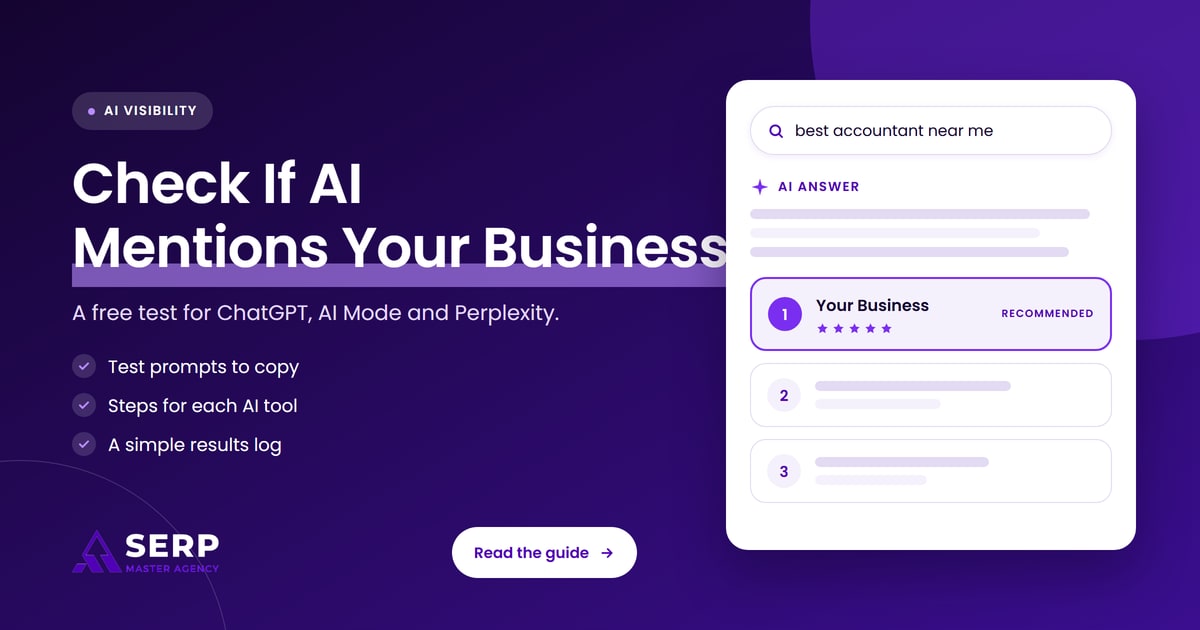
Quick answer: You check whether ChatGPT, Google AI Mode and Perplexity mention your business by asking each tool the questions your customers ask, then reading the answer and its cited sources for your business name and website. Run each prompt 3 times, record what you see in a simple log, and repeat monthly, because AI answers change between runs.
Key takeaways
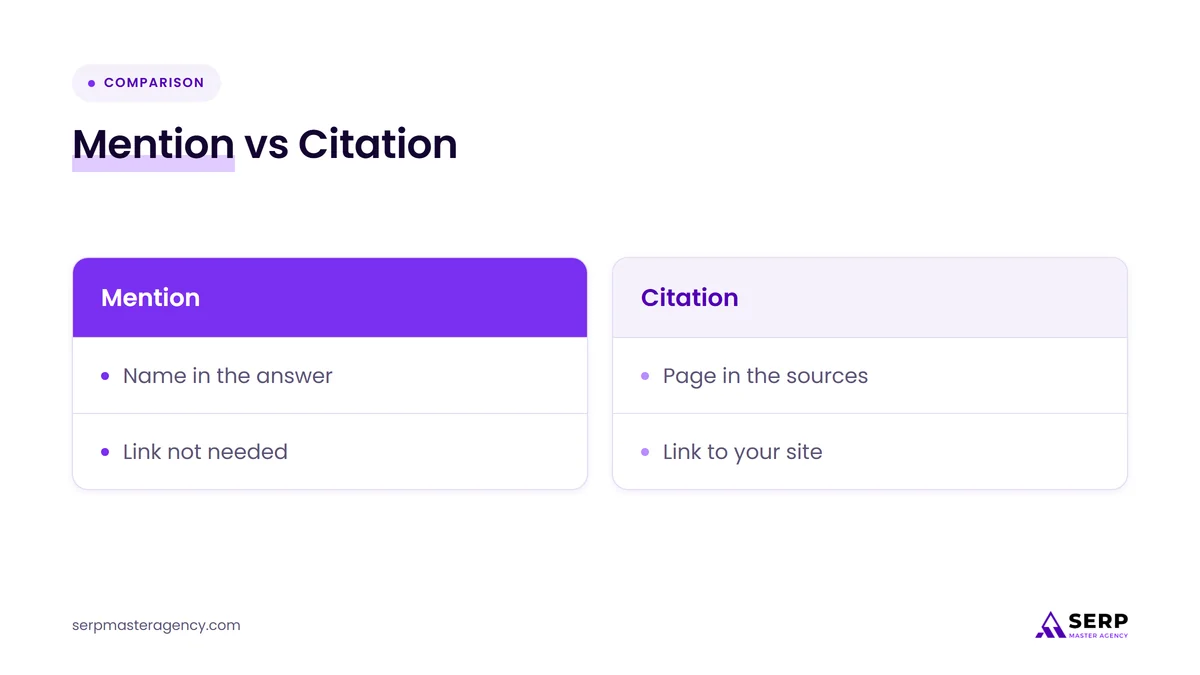
- A mention is your business name in an AI answer, and a citation is a link to your page as a source. Check for both, because they are different results.
- BrightLocal’s July 2026 survey found 23% of US consumers used AI tools in their most recent local business search, and 43% of people who started on AI went on to check Google.
- Test with customer questions, not your brand name: ask for a service in your city, the way a buyer would.
- ChatGPT, Google AI Mode and Perplexity each show sources differently, so each tool gets its own short set of steps.
- Record the date, tool, prompt, whether your business was named and which sources were cited.
- SparkToro found that ChatGPT and Google AI gave the same brand list in under 1% of repeat runs, so run each prompt 3 times.
- Google Search Console counts AI traffic inside overall web results, so it cannot replace a manual check of who gets mentioned.
What does it mean when AI tools mention your business?
An AI tool mentions your business when ChatGPT, Google AI Mode or Perplexity names your business, or links to your website, in an answer to a customer question. There are 3 levels of result: a mention, a citation and a recommendation. Each one tells you something different about your AI visibility.
The right way to read results depends on which level you see, and the stronger levels usually build on the same foundation of SEO services that earns rankings in Google. The 3 levels are listed below, from weakest to strongest.
- Mention: the answer names your business in the text, with or without a link.
- Citation: the answer lists a page from your website among its cited sources.
- Recommendation: the answer names your business as a suggested choice for the customer’s question, usually with a reason.
The 3 tools also differ in how they show sources, which decides how you run each test. The table below compares where to open each tool and how it shows its sources.
| Tool | Where to open it | How it shows sources |
|---|---|---|
| ChatGPT | chatgpt.com | Inline citations or a Sources panel |
| Google AI Mode | google.com/ai | Links beside the answer |
| Perplexity | perplexity.ai | Numbered citations |
This table shows that all 3 tools expose their sources, which means you can check for a citation as well as a mention.
Why should you check whether AI tools mention your business?
You should check because customers now use AI tools to find local businesses, and an AI answer may name your competitors instead of your business. BrightLocal’s Consumer Search Behavior Survey, published July 9, 2026 and based on 1,227 US consumers, found that 23% used AI tools in their most recent local business search.
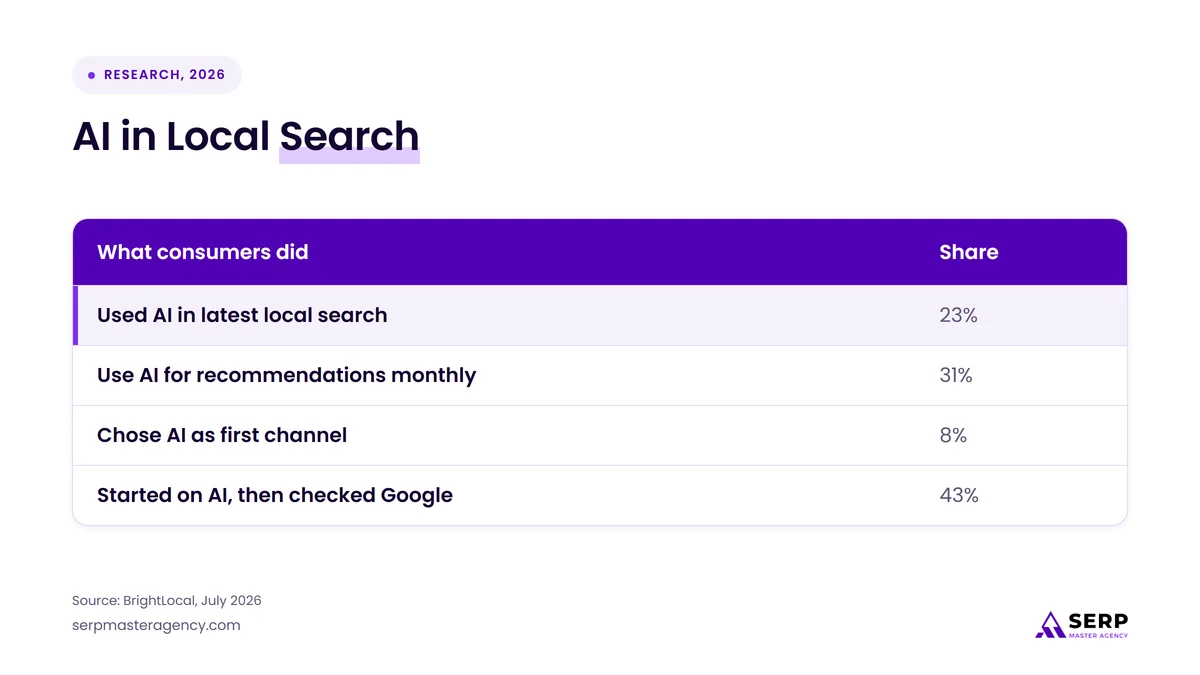
| What consumers did | Share |
|---|---|
| Used AI in latest local search | 23% |
| Use AI for recommendations monthly | 31% |
| Chose AI as first channel | 8% |
| Started on AI, then checked Google | 43% |
The table shows AI is a real but partial channel, and that people who start on AI often double-check on Google, so both places matter for your business. The survey covers US consumers only, so treat the numbers as a guide for the UK, Canada, Australia and New Zealand rather than a measurement of them.
Which prompts should you test?
You should test prompts that sound like your customers’ questions, not prompts that contain your business name. A customer asks “who is the best plumber in Austin”, not “is Smith Plumbing good”. Start with 5 test prompts and keep their wording identical for every tool.
The 5 customer-question templates below cover common ways a buyer asks for a local business. Replace the brackets with your service and city.
- Ask “Who is the best [service] in [city]?” to test a direct recommendation.
- Ask “Which [service] companies near [city] are well reviewed?” to test reviews and local business signals.
- Ask “How much does [service] cost in [city]?” to test whether your price pages are cited.
- Ask “What should I check before hiring a [service] provider?” to test whether your guides are cited.
- Ask “Who offers [specific service] in [city] with [your differentiator]?” to test your niche.
You can test a longer list later, but these 5 customer questions are enough to see where your business stands this month.
How do you check whether ChatGPT mentions your business?
You check ChatGPT by asking a test prompt and reading both the answer and its sources for your business name and website. OpenAI says ChatGPT answers that use web search may show inline citations, or a Sources panel beneath the response that lists cited links.
The 5 steps below run one ChatGPT test from start to finish.
- Open chatgpt.com in a private browser window so your own history has less influence.
- Paste one test prompt and ask it exactly as written.
- Read the full answer and note whether your business name appears.
- Open the inline citations or the Sources panel and note whether any link goes to your website.
- Repeat the same prompt 2 more times in new chats and log each result.
If an answer shows no sources at all, it did not draw on web results, so treat that run as a weaker test of your business. If your business never appears, check your crawler settings: OpenAI says sites opted out of OAI-SearchBot are not shown in ChatGPT search answers, and that a robots.txt change takes about 24 hours to take effect.
How do you check whether Google AI Mode mentions your business?
You check Google AI Mode by opening it at google.com/ai, or by searching on google.com and tapping AI Mode, then asking your test prompt and reading the links that come with the answer. Google’s help page says AI Mode answers come with links to explore further and sources you can click.
The 5 steps below run one Google AI Mode test.
- Open google.com/ai in a private or signed-out window, because Google says personal context can use your saved search history when you are signed in.
- Paste one test prompt and wait for the full answer.
- Read the answer and note whether your business name appears.
- Check every linked source and note whether any link goes to your website.
- Ask the same prompt 2 more times and log each result.
Google says AI Mode sometimes shows only a set of web links when it does not have high enough confidence, so log those runs as “links only”. Google Search Central also says a page must be indexed and eligible to be shown in Google Search with a snippet to be a supporting link, which makes indexing the first thing to confirm. For an example of what AI Mode can show on service searches, read our post on Google AI Mode sending home service searches to booking and quote links.
How do you check whether Perplexity mentions your business?
You check Perplexity by asking your test prompt at perplexity.ai and reading the numbered citations that sit in the answer. Perplexity’s Help Center says each answer includes numbered citations linking to the original sources.
The 4 steps below run one Perplexity test.
- Open perplexity.ai in a private browser window.
- Paste one test prompt and read the full answer.
- Note whether your business name appears, and open the numbered citations to see whether any go to your website.
- Repeat the same prompt 2 more times and log each result.
Because Perplexity shows its sources in every answer, it is the quickest of the 3 tools for spotting which websites an AI answer relies on for your market. Write down the sites cited alongside your competitors, since they show where answers about your business come from.
What should you record for each test?
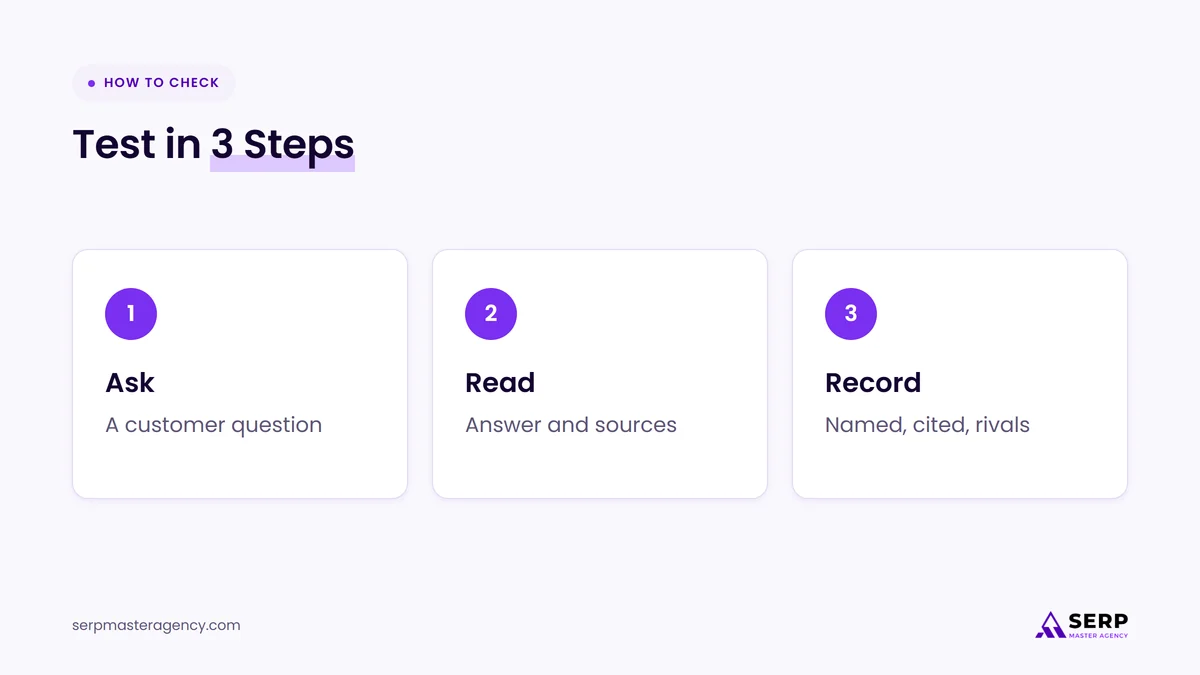
You should record 6 fields for each test: the date and tool, the prompt, whether your business was named, whether your website was cited, which competitors appeared, and any notes. A log makes next month’s results comparable, which a memory of the answer cannot do.
| Field | What to write |
|---|---|
| Date and tool | Day of the test, and ChatGPT, Google AI Mode or Perplexity |
| Prompt | The exact wording you pasted |
| Named | Yes or no for your business name |
| Cited | Yes or no for a link to your website |
| Competitors | Every business named in the answer |
| Notes | Wrong facts, old details or links only |
The table shows the whole log: 6 columns in a spreadsheet are enough, and 5 prompts across 3 tools with 3 runs each gives 45 rows per month.
Why do AI answers about your business change between tests?
AI answers about your business change between tests because the tools generate each answer fresh instead of returning a stored list. SparkToro, in research reported by Search Engine Journal on January 30, 2026, ran 2,961 prompts across ChatGPT, Claude and Google’s AI and found that the brand lists rarely repeated.
The findings from that study that matter for your own testing are listed below.
- ChatGPT and Google’s AI gave the same brand list in under 1% of repeat runs of the same prompt.
- The same list in the same order appeared in under 0.1% of runs.
- The study ran 12 prompts, each 60 to 100 times per platform.
- Some brands kept appearing: in headphone answers, 4 brands showed up in 55% to 77% of 994 responses.
The lesson is to judge your business by how often it appears across 3 or more runs of the same prompt, not by one answer. Search Engine Journal’s report says a brand’s visibility percentage across repeated runs is steadier than its ranking position, so log “named in 2 of 3 runs” instead of “ranked second”. Google also says AI Mode and Google AI Overviews may use different models and techniques, so a mention in one is not a promise of a mention in the other.
How do you read your test results?
You read your test results by sorting each run into 1 of 4 outcomes: named and cited, named only, cited only, or absent. Each outcome points to a different fix, and the pattern across 3 runs matters more than any single answer.
The 4 outcomes and what each one means for your business are listed below.
- Named and cited: your business is visible for that question, so keep the cited page accurate and up to date.
- Named only: the tool knows your business from other sources, so check which page should be the cited source for that question.
- Cited only: your page is used as evidence but your name is not shown, so check that the page states your business name, location and service clearly.
- Absent: your business is not part of the answer, so note which competitors and websites appear instead.
Also compare the details. If an answer shows a wrong phone number, an old address or a service you do not offer, log it, because fixing the source of that wrong fact is a quick win.
What can Google Search Console tell you about AI mentions?
Google Search Console can tell you how much search traffic your website gets, but it does not list mentions of your business in Google AI Mode. Google says sites linked in AI Overviews and AI Mode are included in the overall search traffic in Search Console, reported under the Web search type.
Because AI traffic sits inside your normal Web results rather than in a separate mention report, Search Console cannot show who the AI tools name. Use Google Search Console to confirm that your key pages are indexed and getting impressions, and use the manual test in this guide to see which businesses the AI tools actually name. Google adds that appearing in AI Overviews or AI Mode needs no special optimization beyond being indexed and eligible to show with a snippet, and that indexing is never guaranteed.
How often should you repeat the check?
You should repeat the check once a month, using the same 5 prompts and the same 3 tools. A monthly rhythm shows trends without turning the work into a daily chore, and because AI answers can change from run to run, 1 month tells you less than 3 months in a row.
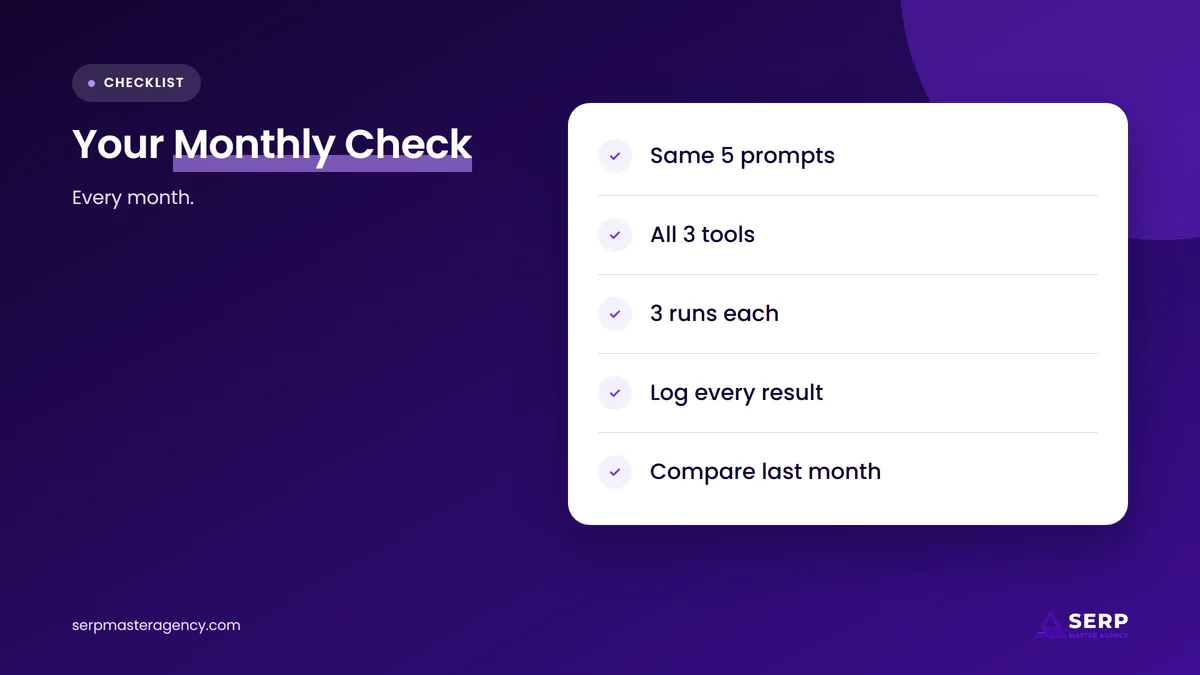
The monthly routine takes 45 test runs, which is 5 prompts, 3 tools and 3 runs each. Keep the log in one spreadsheet, add each month as a new set of rows and compare it with last month before you change anything on your website.
What should you do if no AI tool mentions your business?
If no AI tool mentions your business, fix the foundation first: make sure your website is indexed, your pages answer customer questions directly, and your business details match everywhere online. AI tools build answers from web sources, so a business that is hard to find, unclear or inconsistent has less to be cited for.
Start with the guide on how to get your business recommended by ChatGPT, which covers OpenAI’s crawler, answer-first pages and consistent listings. For Google’s side, read how AI Overviews choose which businesses to cite. If you are unsure which of SEO, AEO and GEO to start with, our guide to SEO vs AEO vs GEO: which does your business need sets the order.
Frequently asked questions
How do I check if ChatGPT mentions my business?
Ask ChatGPT a question your customers would ask, such as the best provider of your service in your city, and read the answer and its sources for your business name and website. Repeat the same prompt 3 times in new chats, because ChatGPT answers change between runs.
Can I check AI mentions for free?
Yes, you can check AI mentions for free with the manual method in this guide. It needs a browser, a spreadsheet and about 45 test runs a month. Paid tools exist, but according to Search Engine Journal, SparkToro’s Rand Fishkin says a provider should show its math before you pay for AI visibility tracking.
Does a mention in Google AI Mode mean I will appear in Google AI Overviews?
No, a mention in Google AI Mode does not mean you will appear in Google AI Overviews. Google says the two features may use different models and techniques, so the links they show will vary. Test both separately when AI Overviews appear for your prompts.
Why does Perplexity cite my competitor and not my business?
Perplexity cites the sources it finds for the question, so a competitor can appear when its pages answer that question more directly than yours. Open the numbered citations, read the cited pages, and compare their answers, details and structure with your own page for the same question.
Can anyone guarantee that AI tools will mention my business?
No, no one can guarantee that AI tools will mention your business. OpenAI says there is no way to guarantee top placement in ChatGPT search, and Google says indexing and serving are not guaranteed even when a page meets all requirements. You can fix your foundation and track your results, not promise an outcome.
Check your AI mentions every month, then fix what the answers show
To check whether ChatGPT, Google AI Mode and Perplexity mention your business, ask each tool 5 customer-style prompts, run each prompt 3 times and log whether your business was named and cited. Judge the pattern across runs, not one answer, and repeat every month. If your business is absent, the fix is the usual SEO foundation: a crawlable website, clear answers and consistent details.
That foundation is what we build at SERP Master Agency, through our SEO services and local SEO services for businesses in the US, UK, Canada, Australia and New Zealand.
Find out where your business stands in AI answers
Book a free consultation. We review how your business appears in Google and in AI answers today, which pages and details need work first, and what a plan would include. You leave with a clear next step and no obligation.
Sources
- BrightLocal, “Consumer Search Behavior Survey 2026” (1,227 US consumers), July 9, 2026. https://www.brightlocal.com/research/consumer-search-behavior-channels/
- Search Engine Journal, “AI Recommendations Change With Nearly Every Query: Sparktoro” (research by Rand Fishkin and Patrick O’Donnell), January 30, 2026. https://www.searchenginejournal.com/ai-recommendations-change-with-nearly-every-query-sparktoro/566242
- Google Search Central, “AI features and your website”, accessed November 19, 2026. https://developers.google.com/search/docs/appearance/ai-features
- Google Search Help, “Get AI-powered responses with AI Mode in Google Search”, accessed November 19, 2026. https://support.google.com/websearch/answer/16011537
- OpenAI, “Overview of OpenAI Crawlers”, accessed November 19, 2026. https://developers.openai.com/api/docs/bots
- OpenAI Help Center, “ChatGPT search”, accessed November 19, 2026. https://help.openai.com/en/articles/9237897-chatgpt-search
- Perplexity Help Center, “How does Perplexity work?”, accessed November 19, 2026. https://www.perplexity.ai/help-center/en/articles/10352895-how-does-perplexity-work

Suraj Rana is the founder of SERP Master Agency and Dental Master Media, based in Chandigarh, India. He has worked in SEO for over 9 years, helping local businesses, clinics, ecommerce stores and marketing agencies win more calls, leads and sales from Google and AI search. His team delivers SEO services, Google Business Profile optimisation, paid ads and white-label SEO for agencies. Every SERP Master guide is written to give business owners a plain-English answer: what to fix first, what it costs and what results to expect.