Quick answer: To see AI traffic in Google Analytics 4 (GA4), open Reports, then Acquisition, then Traffic acquisition, and look for the AI Assistant channel, which groups visits from ChatGPT, Gemini, Copilot and similar tools. Google AI Mode and AI Overviews clicks count as Google organic, so GA4 cannot separate them.
Key takeaways
- AI traffic in GA4 means sessions that start from an AI assistant such as ChatGPT, Gemini or Microsoft Copilot.
- GA4 has a default AI Assistant channel that names 5 assistants, so check it before building anything.
- You find the numbers in 5 steps, starting at Reports, Acquisition, Traffic acquisition.
- A custom channel group with a regex pattern catches sources the default channel misses, and it must sit above Referral.
- Google AI Mode and Google AI Overviews visits are counted as Google organic in GA4 and cannot be split out there.
- Google Search Console shows AI feature traffic inside its Web search type, so use it beside GA4.
What is AI traffic in GA4?
AI traffic in GA4 is the set of sessions that begin when a visitor clicks a link inside an AI assistant such as ChatGPT, Gemini, Microsoft Copilot or Perplexity and lands on your website. GA4 records each landing as a session with a source and a medium, the same way it records a click from Google or Facebook.
The definition matters for your business because AI traffic measures clicks, not mentions. An AI tool can name your business without sending a visit, and the number in GA4 only counts people who click through to your site.
Does GA4 show AI traffic by default?
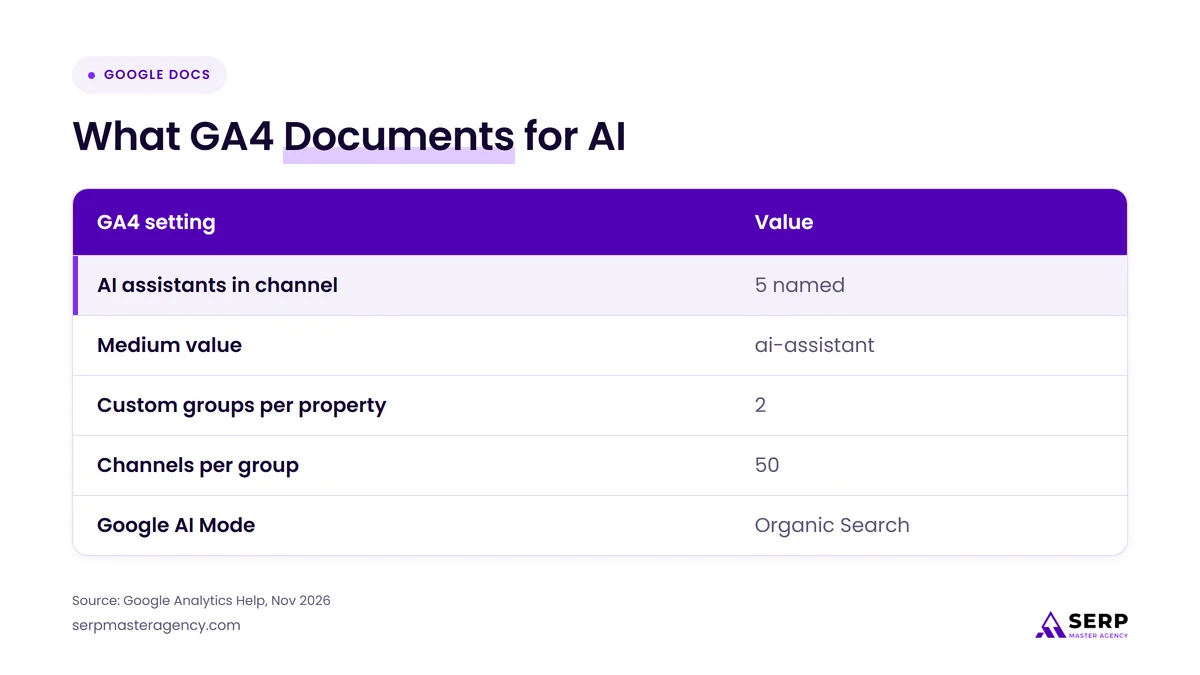
Yes, GA4 shows AI traffic by default in a channel called AI Assistant. Google Analytics Help says the channel groups users who arrive from AI assistants such as ChatGPT, Gemini, Deepseek, Copilot or Grok, and it applies when the medium is “ai-assistant”. Google also says the definitions may evolve as the market changes.
| GA4 setting | Documented value |
|---|---|
| AI assistants in default channel | 5 named |
| Medium value | ai-assistant |
| Custom groups, standard property | 2 |
| Channels per custom group | 50 |
| Google AI Mode in this channel | No, Organic Search |
The table shows that GA4 already has an AI channel and that Google files its own AI Mode and AI Overviews clicks under Organic Search, according to Google Analytics Help pages we read on November 23, 2026.
How do you track ChatGPT visits in GA4 in 5 steps?
You track ChatGPT visits in GA4 in 5 steps: open the Traffic acquisition report, find the AI Assistant row, switch to session source, check the pages those visits land on and compare months. The first 2 steps take about 5 minutes and need no setup.
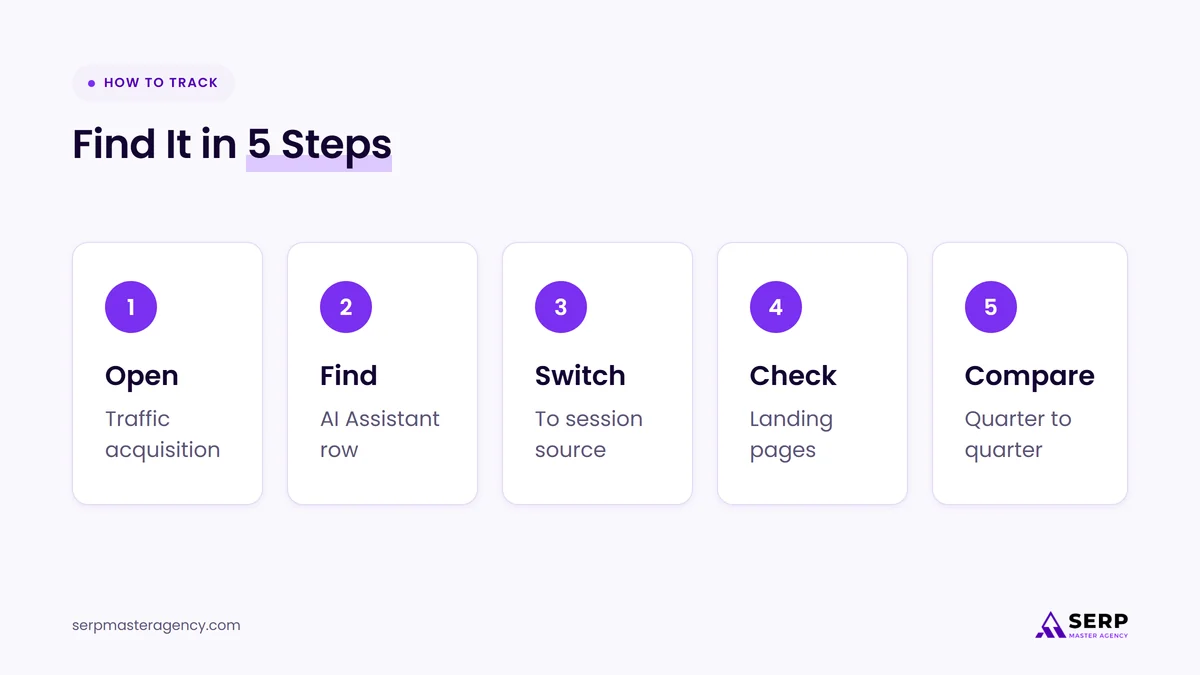
The 5 steps below follow the report path in Google Analytics Help.
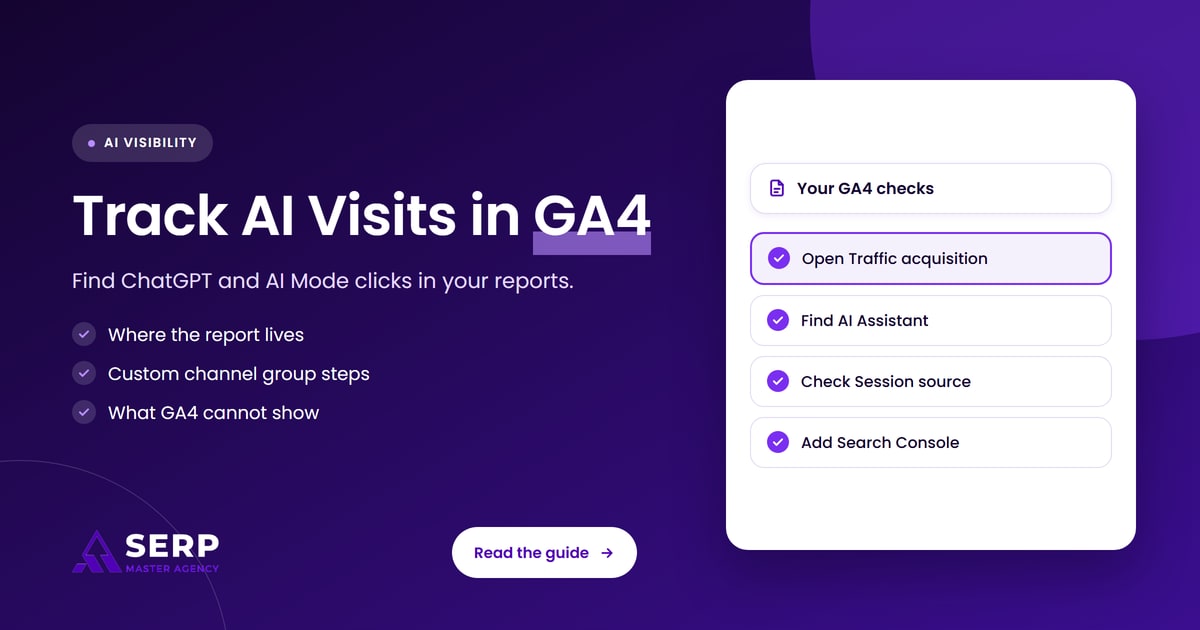
- Open Reports in the left navigation, go to Acquisition and select Traffic acquisition, which groups sessions by session default channel group.
- Find the AI Assistant row in the table. If it is missing, your property has no AI assistant sessions in the date range, or you need the custom channel group in the next section.
- Change the table dimension to Session source so the row for ChatGPT, Gemini or Copilot shows by name instead of one grouped line.
- Click the AI Assistant or source row to check which landing pages those visitors opened and whether they reached a form, a call or a booking page.
- Set the date range to the last 90 days, then compare the same range next quarter to see AI traffic move.
Treat the first month as a baseline. A low count is normal for most small business websites and tells you where you start, not how you will do.
How do you build a custom channel group for AI traffic in GA4?
You build a custom channel group for AI traffic in GA4 by copying the default channel group, adding one channel named AI assistants, setting its condition to Session source matches regex, and dragging it above Referral. Google Analytics Help says traffic goes to the first channel whose definition it matches.
The 6 settings below create the group, and the menu path is Admin, then Data display, then Channel groups. You need the Editor role or higher on the property.
- Click Create new channel group, which copies the default group, and enter a name such as “Default plus AI”.
- Click Add new channel and name it “AI assistants”.
- Click Add condition group, choose the Session source dimension and select “matches regex”.
- Enter a regex pattern for the sources you see in your own Session source list, for example
chatgpt\.com|perplexity\.ai|gemini\.google\.com|copilot\.microsoft\.com. - Click Reorder, drag AI assistants above Referral and click Apply, since Google recommends placing AI assistant channels above Referrals.
- Click Save group, then open the group’s pencil icon on the Channel groups page if you want it as your primary channel group.
Check each domain in the pattern against the Session source column in your own data before you save it. The pattern above is an example, and sources change, so a name that appears in your report but not in the pattern needs to be added.
Google Analytics Help says custom channel groups can be applied to reports retroactively, but making a custom group your primary channel group only changes data from that point forward. A standard property can hold 2 custom channel groups, so use one for AI traffic and keep the second free.
Can GA4 separate Google AI Mode visits from Google organic?
No, GA4 cannot separate Google AI Mode visits from Google organic. Google Analytics Help lists Google’s AI Overviews and AI Mode under Organic Search, not under the AI Assistant channel, so a visit that starts in AI Mode looks like any other Google search visit in your Traffic acquisition report.
Google Search Central says the same on the Search Console side: sites appearing in AI features are included in overall search traffic and reported in the Performance report under the Web search type. No second report in GA4 splits the two.
What does Google Search Console add to GA4 AI traffic numbers?
Google Search Console adds the search side that GA4 hides: which queries and pages bring Google impressions and clicks, including from AI features, inside the Web search type. GA4 shows what visitors did after the click, and Google Search Console shows how they found you.
The 3 checks below use both tools together.
- Open the Performance report in Google Search Console and note the pages with rising clicks for long, question-style queries.
- Open the same pages in the Traffic acquisition report in GA4 and compare organic sessions for the same dates.
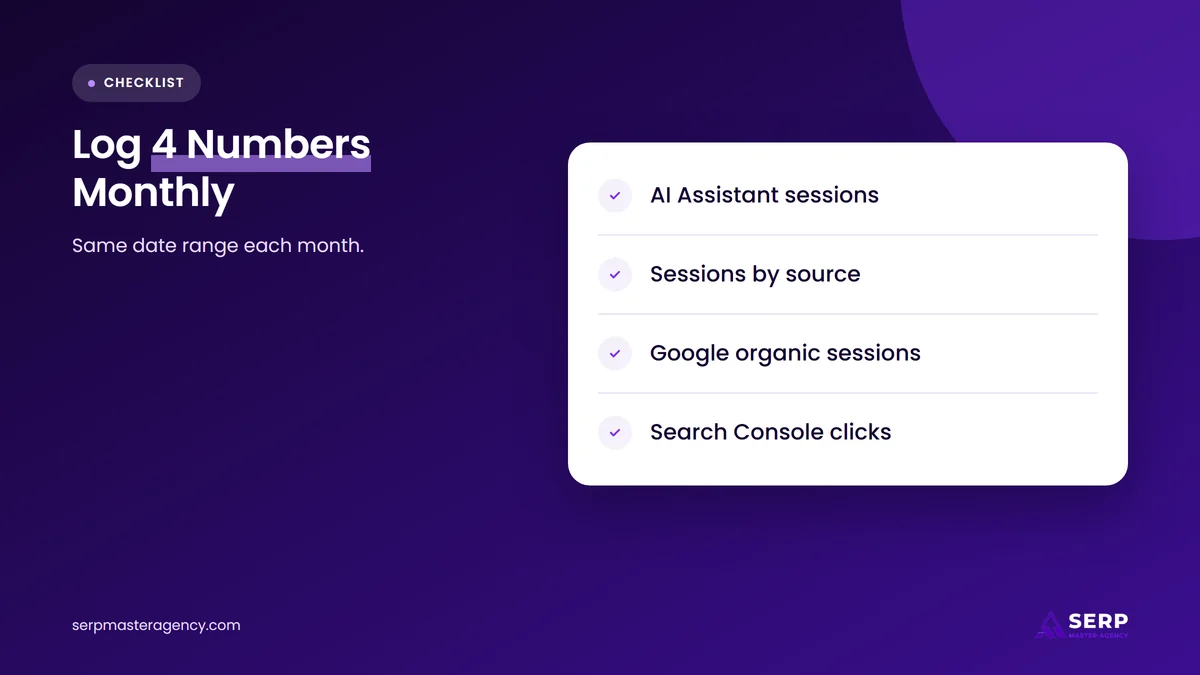
- Write both numbers in one sheet each month, with the date range and the property name beside them.
Linking the two tools inside your GA4 property settings lets Search Console data appear beside your sessions, so you do not need to switch between reports.
What can GA4 AI traffic numbers not tell you?
GA4 AI traffic numbers cannot tell you how often AI tools mention your business, and they can miss visits that arrive without a referrer. A mention that never gets clicked is invisible in GA4, and a click with no referrer information can land in direct traffic.
Use the numbers for direction only. If your AI Assistant count is 0 for 90 days, the cause may be that no one clicked, that the visits sit in direct traffic or that AI tools do not cite your pages yet, and GA4 cannot tell these apart. No one can promise that an AI tool will send you visits.
How do you check what ChatGPT, Google AI Mode and Perplexity say about your business?
You check what ChatGPT, Google AI Mode and Perplexity say about your business by running the same customer questions in each tool and logging whether your business is named and linked. That check covers mentions, and GA4 covers the clicks that follow.
Our guide on how to check whether ChatGPT, Google AI Mode and Perplexity mention your business gives the steps and a results log. To learn how pages get picked, read how AI Overviews choose which businesses to cite, and for the ChatGPT side read how to get your business recommended by ChatGPT. If you sell home services, see Google AI Mode and booking and quote links. For the wider question of which kind of optimization fits, read SEO vs AEO vs GEO: which does your business need.
Frequently asked questions
How do I see AI search traffic in Google Analytics?
Open Reports, then Acquisition, then Traffic acquisition, and look for the AI Assistant channel. Change the dimension to Session source to see each assistant by name. Google AI Mode and AI Overviews clicks do not appear there, because Google counts them as Organic Search.
Does GA4 track Google AI Mode traffic?
Yes, GA4 records Google AI Mode visits, but it files them as Google organic, so you cannot see them as a separate line. Google Search Console reports AI feature traffic inside the Web search type, which gives you search-side data but not a separate AI Mode filter.
Why is my AI Assistant channel empty?
An empty AI Assistant channel means no sessions in the date range matched the AI assistant sources, or the visits arrived without referrer information and sit in direct traffic. Widen the date range to 90 days, then check Session source for names like ChatGPT before you change anything.
Do I need a custom channel group if GA4 already has AI Assistant?
No, start with the default AI Assistant channel and add a custom channel group only if a source you see in Session source is missing from it. A standard property allows 2 custom groups, so build one carefully and test it against your own data.
Does AI traffic in GA4 mean AI tools recommend my business?
No, AI traffic shows that people clicked a link to your site, and it does not measure how often tools mention you. A mention without a click is invisible in GA4. Pair the numbers with a monthly mention check, and treat both as direction, not a promise of future results.
Start with the default channel, then add your own rules
To track ChatGPT and Google AI Mode visits in GA4, open the AI Assistant channel in the Traffic acquisition report, add a custom channel group only for sources it misses, and read Google AI Mode clicks as Google organic with Google Search Console beside it. Log the numbers monthly and judge direction, not single weeks.
That is the kind of measurement we set up at SERP Master Agency, alongside our SEO services and local SEO services for businesses in the US, UK, Canada, Australia and New Zealand.
Turn your AI traffic numbers into a plan
Book a free consultation. We look at how your site appears in Google and in AI answers, what your analytics can and cannot show, and which pages to fix first. You leave with a clear next step and no obligation.
Sources
- Google Analytics Help, “[GA4] Default channel group” (AI Assistant channel, AI Overviews and AI Mode under Organic Search), accessed November 23, 2026. https://support.google.com/analytics/answer/9756891
- Google Analytics Help, “[GA4] Custom channel groups” (steps, regex, order, limits, retroactive reporting), accessed November 23, 2026. https://support.google.com/analytics/answer/13051316
- Google Analytics Help, “[GA4] Traffic acquisition report” (Reports, Acquisition, Traffic acquisition; default dimension session default channel grouping), accessed November 23, 2026. https://support.google.com/analytics/answer/12923437
- Google Analytics Help, “[GA4] Acquisition overview report” (session primary channel group), accessed November 23, 2026. https://support.google.com/analytics/answer/13410671
- Google Search Central, “AI features and your website” (AI feature traffic included in Search Console Web search type), accessed November 23, 2026. https://developers.google.com/search/docs/appearance/ai-features

Suraj Rana is the founder of SERP Master Agency and Dental Master Media, based in Chandigarh, India. He has worked in SEO for over 9 years, helping local businesses, clinics, ecommerce stores and marketing agencies win more calls, leads and sales from Google and AI search. His team delivers SEO services, Google Business Profile optimisation, paid ads and white-label SEO for agencies. Every SERP Master guide is written to give business owners a plain-English answer: what to fix first, what it costs and what results to expect.